
WiFi Hotspot, Personal hotspot
by AZ Team Publisher (0 Reviews) November 01, 2025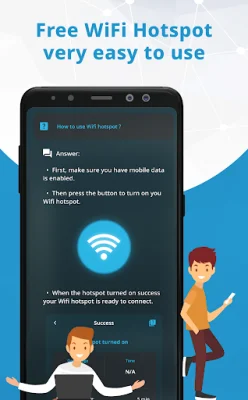
Latest Version
November 01, 2025
AZ Team Publisher
Tools
Android
0
Free
com.wifi.hotspot.portable.key.personalhotspot.password.wifihotspot.mobilehotspot
Report a Problem
More About WiFi Hotspot, Personal hotspot
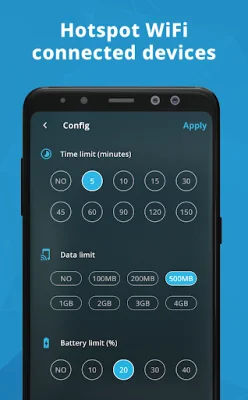
Wi-Fi hotspots are a great way to share your internet connection with other devices, whether you're at home, in the office, or on the go. There are many different Wi-Fi hotspot apps available, each with their own unique features and benefits. Our app not only covers the basics of how Wi-Fi hotspots work and the different types available, but also offers the best fit functions for your specific needs.
To create a Wi-Fi hotspot, you'll need a device with a Wi-Fi adapter, such as a smartphone, tablet, laptop, or router. Once you enable the hotspot feature in your device's settings, you can create a name and password for your network to protect it from unauthorized access. Other devices can then connect to your network by entering the name and password.
There are two main types of Wi-Fi hotspots: personal and public. Personal hotspots are created by individual users and are typically more secure since they require a password. Public hotspots, on the other hand, are open to anyone and are more vulnerable to security attacks.
When it comes to choosing the best Wi-Fi hotspot app for you, it all depends on your specific needs and preferences. If you want a simple and user-friendly app, there are many Tethering & Mobile Hotspot apps available. However, if you need a more powerful app with advanced features, our app is a great choice.
To use Wi-Fi hotspots safely and securely, it's important to use a strong password, be aware of the risks associated with public hotspots, and regularly update your device's software. With our app, you can enjoy fast, convenient, and free Wi-Fi hotspots while also being original and SEO-oriented. So why not give it a try today?
Rate the App












Popular Apps









