

Wifi passwords show: Analyzer
1.2.7 by Apps Resort - Daily Tool Apps (0 Reviews) March 19, 2026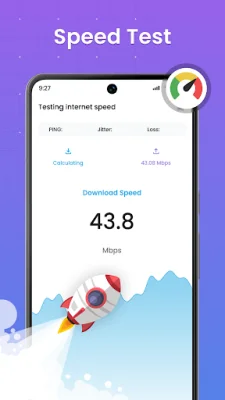

Latest Version
1.2.7
March 19, 2026
Apps Resort - Daily Tool Apps
Tools
Android
0
Free
com.appresort.wifi.analyzer.wifi.scanner.speed.test
Report a Problem
More About Wifi passwords show: Analyzer
The Wifi password show: Analyzer is an application that helps users monitor and manage their WiFi network. It has various key features that allow users to view all connected devices, check network performance, generate secure passwords, and more. The app is designed to provide users with a comprehensive toolset for optimizing their WiFi experience.
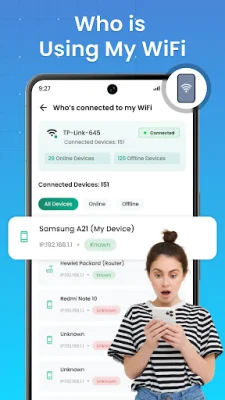
One of the main features of the app is the ability to view all connected devices on the WiFi network. This allows users to keep track of who is using their WiFi and monitor their online and offline status. The app also provides device IP addresses for better network monitoring.
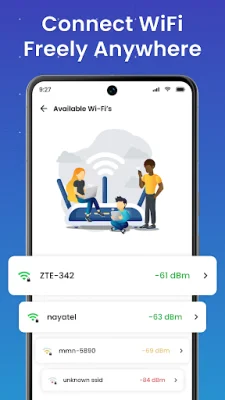
The app also has a WiFi Analyzer feature that allows users to check network performance. This includes a speed test to check internet speed, a signal strength analyzer for better connection, and the ability to identify 2.4GHz and 5GHz networks for optimal performance. Users can also understand WiFi strength using dBm (decibel-milliwatts).
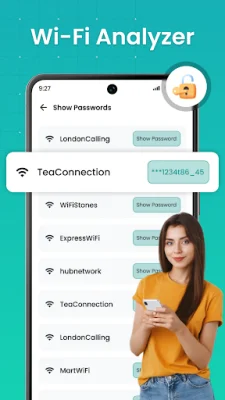
In addition to monitoring and analyzing the network, the app also has a WiFi password show feature. This allows users to view all passwords that were previously generated and works as a WiFi unlocker to recover lost passwords.
The app also has a WiFi password generator that allows users to create secure passwords for their network. Users can customize the passwords with uppercase, lowercase, numbers, and symbols for added security.
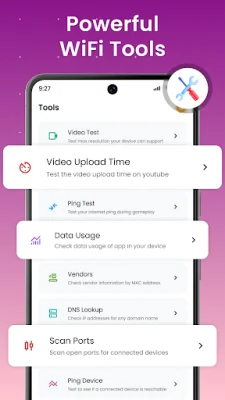
Other features of the app include WiFi auto connect and finder, WiFi speed test, WiFi signal strength meter, ping test in WiFi analyzer, data usage details, and upload/download time estimates. The app also has advanced network tools for editing and customizing WiFi network names, scanning available WiFi channels, and accessing in-depth WiFi details for troubleshooting.
The app is designed to be a comprehensive toolset for optimizing WiFi performance and ensuring a secure network. It is not intended to be used as a hacking tool and the developers encourage responsible and ethical use of WiFi networks. Users can download the app and take full control of their WiFi network for a better internet experience.
Rate the App















Popular Apps









