

WiFi Server Pro - FTP and HTTP
by Tiwari Mukesh Hariprakash (0 Reviews) March 17, 2026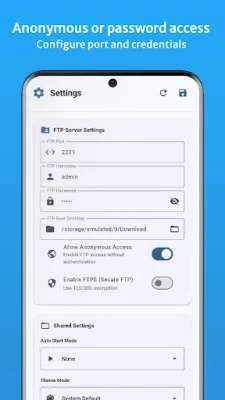
Latest Version
March 17, 2026
Tiwari Mukesh Hariprakash
Tools
Android
0
$0.49
com.bytecode.wifiserverpro
Report a Problem
More About WiFi Server Pro - FTP and HTTP
This application allows you to use your phone as a file sharing server, making it easy to connect from your PC, Mac, or tablet using any browser or FTP client. You can transfer files wirelessly between your Android device and your computer, simply by dragging and dropping or downloading folders as ZIP files. Additionally, you can chat instantly with connected devices and even share clipboard content, making it perfect for transferring links, codes, and notes without using messaging apps.
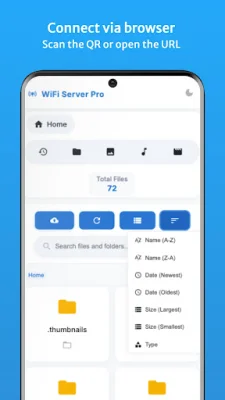
One of the key features of this app is the HTTP File Server, which allows you to access your phone's storage through Chrome, Firefox, or Safari. You can upload files via drag and drop, download folders as ZIP files, preview images and videos, search for files, and sort them by name or date. This feature works on all devices with a web browser, making it accessible to a wide range of users.
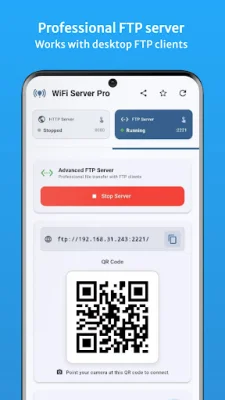
The FTP/FTPS Server is another professional file management tool that allows you to connect with popular FTP clients such as FileZilla, WinSCP, and Cyberduck. You can upload, download, rename, and delete files, as well as manage folders. For added security, you can enable FTPS encryption for secure transfers.
The app also offers real-time chat and clipboard sync, allowing you to send text messages between connected devices instantly and share clipboard content. This is especially useful for transferring links, codes, and notes without using messaging apps.
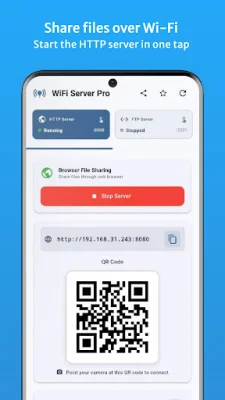
Setting up the app is made easy with the QR code connection feature, which allows you to scan and connect instantly without having to type in IP addresses. The app also has a modern interface with Material Design 3 UI, automatic dark mode, and a live server status display. It also offers guided setup for beginners, making it accessible to all users.
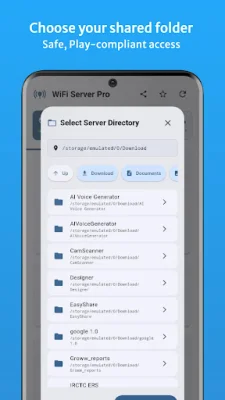
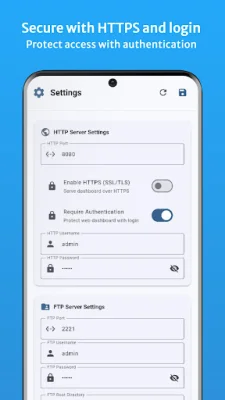
One of the main advantages of this app is its focus on privacy and security. Your files never leave your WiFi network, and you can even enable password protection for added security. The app also supports HTTPS and FTPS encryption, as well as secure session handling and full Android storage compliance.
Overall, WiFi File Server Pro is a fast, reliable, and modern file sharing tool that is perfect for a variety of uses. Whether you need to transfer photos and videos from your Android device to your computer, access your phone's storage from different devices, or create a personal file server at home or office, this app has got you covered. It is compatible with Android 6.0+ devices, works with all browsers and FTP clients, and is available for Windows, macOS, and Linux. So why wait? Download WiFi File Server Pro now and start sharing files wirelessly in seconds.
Rate the App














Popular Apps









