

WifiLink: Share WiFi
2.0.1.16 by Tokyobay K.K. (0 Reviews) October 16, 2024


Latest Version
2.0.1.16
October 16, 2024
Tokyobay K.K.
Tools
Android
0
Free
com.wifilink.android
Report a Problem
More About WifiLink: Share WiFi
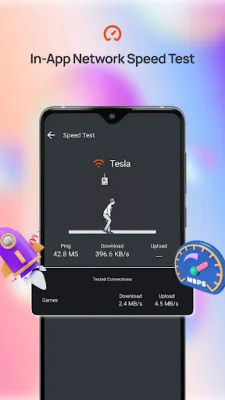
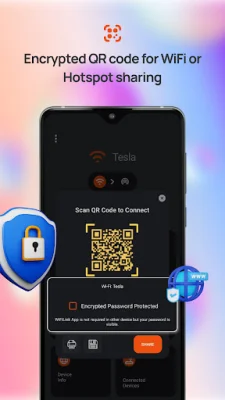
WiFiLink is a revolutionary app that allows you to easily share your Wi-Fi or hotspot connection without revealing your password. This is made possible through the use of encrypted QR codes, which can only be decoded by the WiFiLink app. This provides a secure and convenient way for businesses, offices, restaurants, and other venues to offer Wi-Fi to their customers without compromising their network security. With WiFiLink, sharing your connection is as simple as sharing a QR code. You can easily share your connection with a group of people by simply sharing the QR code, and they can connect to your Internet without needing to search for your network or ask for your password. This makes it a must-have service for both businesses and individuals who want to share their connection with those around them. To use WiFiLink, all you need to do is add a password for your connected Wi-Fi or mobile hotspot for the first time. Then, you can click on the QR code to share it with others. However, in order for others to connect using the encrypted QR code, they must also have the WiFiLink app on their phone. One of the key features of WiFiLink is its encrypted QR code, which ensures that your password remains secure and cannot be intercepted by third-party scanners. Additionally, the app also allows for seamless connection sharing with a group of people within 100 meters, as well as the ability to check the speed of your connected Internet with just one tap. You can also save or print the QR code label for your Wi-Fi and display it in your business premises, restaurant, hotel, or even at home. At WiFiLink, we are constantly working to improve our app and welcome any feedback or suggestions from our users. If you enjoy using our app, please consider rating us on the Play Store and sharing it with your friends. With WiFiLink, you can easily and securely share your Wi-Fi or mobile hotspot without ever revealing your password. Download the app today and join the WiFiLink community!
Rate the App













Popular Apps









