

Wolow - Wake on LAN
2.13.3 by Jack Baker (0 Reviews) December 06, 2025
Latest Version
2.13.3
December 06, 2025
Jack Baker
Tools
Android
0
Free
com.wolow
Report a Problem
More About Wolow - Wake on LAN
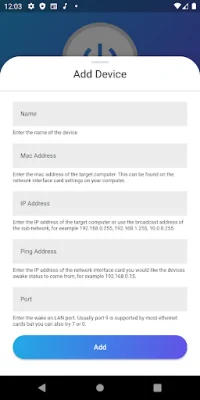
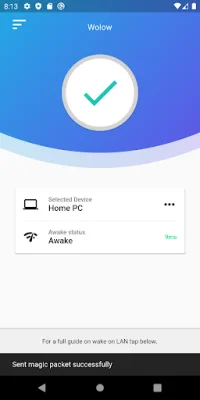
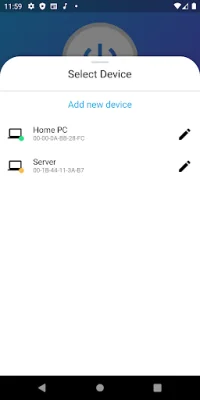
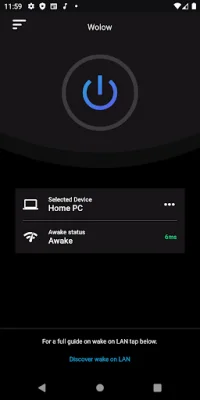
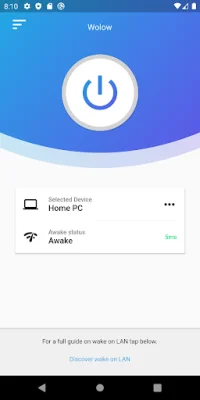
This application allows you to easily start up your computer remotely by using the Wake on LAN network protocol. With just a few simple steps, you can configure your device within the app and select which device you want to start up. Once everything is set up correctly, all you have to do is press the power button and watch your computer come to life.
The Wake on LAN protocol is widely supported by Ethernet cards, making it compatible with the majority of devices. However, it is important to ensure that your computer is fully configured to work with this protocol before using the app. Don't worry though, the app provides a helpful guide on how to set up your computer for Wake on LAN at the bottom of the screen.
With this app, you no longer have to physically be near your computer to turn it on. Whether you're at home, in the office, or on the go, you can easily start up your computer with just a few taps on your device. This not only saves you time and effort, but it also allows for a more convenient and efficient way of managing your devices.
Don't waste any more time waiting for your computer to start up. With this app, you can quickly and effortlessly power on your device from anywhere. Plus, with its user-friendly interface and easy-to-follow instructions, even those who are not tech-savvy can easily use it. So why wait? Download the app now and experience the convenience of remote computer start-up.
Rate the App















Popular Apps









