
Battery Manager: Health Stats
3.4.1 Cookie 🍪 by Baxolino (0 Reviews) May 22, 2026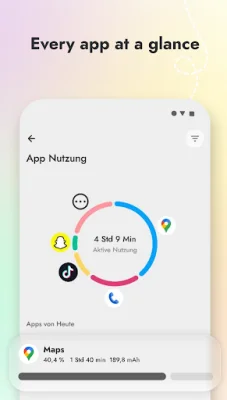
Latest Version
3.4.1 Cookie 🍪
May 22, 2026
Baxolino
Tools
Android
0
Free
com.baxoliono.batterymanager
Report a Problem
More About Battery Manager: Health Stats
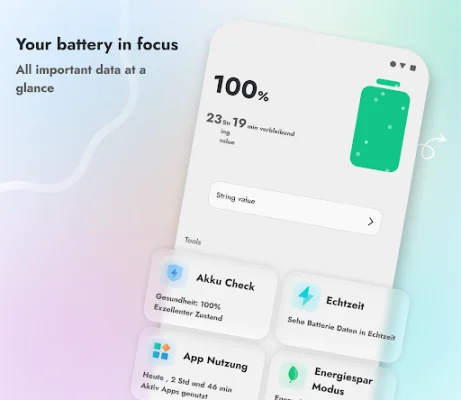
The Battery Manager app is designed to help users optimize their device's battery usage and prolong its lifespan. It offers various features such as a charge alarm, charge time forecast, usage time estimate, and detailed usage statistics for apps. The app also includes an App Optimizer that detects and closes active background apps to save battery.
The App Optimizer feature allows users to quickly identify and close apps that are running in the background without their knowledge. This helps to conserve battery power and gives users full control over their device's battery usage.
The Real-Time Charge Monitor feature provides users with accurate information about their device's charging speed, including power, voltage, and current flow. This information is precisely calibrated for each device, ensuring accuracy.
The Charge Alarm feature allows users to set a limit for their battery's charge, such as 80%, and receive a notification when that limit is reached. This helps to protect the battery's chemistry and prolong its lifespan.
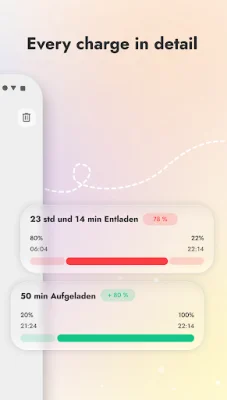
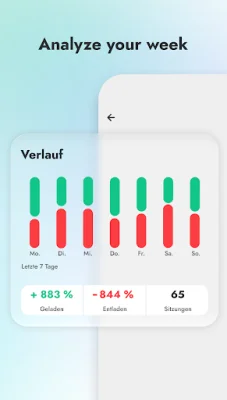
The app also offers a History & Analysis feature, which allows users to track their charging habits over the past 7 days. This includes information on when the device was charged, how long it took, and detailed charts showing charging and discharging cycles.
Battery Health is another important feature of the app, which compares the estimated real capacity of the battery with its design capacity. This gives users an overview of their battery's health status, such as Good, Overheated, or Overvoltage.
The app also helps users find the fastest charger and USB cable for their device, with the Charge Speed feature. It measures the current flow during the charging process and provides an estimate of how long it will take for the battery to be fully charged.
Users can also view detailed app usage statistics to identify which apps are consuming the most energy, both actively and in the background. This information can help users manage their app usage and conserve battery power.
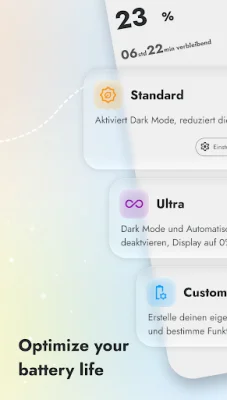
Battery Manager also offers customizable power-saving profiles, allowing users to create their own or use predefined modes to reduce battery consumption. The app also includes customizable widgets that can be placed on the home screen to display real-time battery information.
It's important to note that the app uses the AccessibilityService API to perform the App Optimizer feature. This service does not collect any personal data or share information with the app or third parties, ensuring user privacy.
Rate the App














Popular Apps









