
IoT MQTT Panel Pro
3.02.12 by Rahul Kundu (0 Reviews) July 13, 2026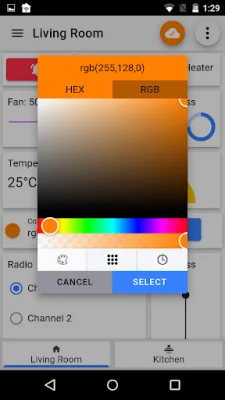
Latest Version
3.02.12
July 13, 2026
Rahul Kundu
Tools
Android
0
$9.49
snr.lab.iotmqttpanel.prod.pro
Report a Problem
More About IoT MQTT Panel Pro
This app allows you to easily create your own DIY Smart Home project in just a minute. The setup process is simple and straightforward, and you can find detailed instructions and answers to common questions in the FAQ and User Guide sections of the app's information page.
The app is designed to run continuously in the background, and it supports both MQTT (TCP) and Websocket protocols. It also offers SSL for secure communication and JSON support for both subscribing and publishing messages. This means that you can easily connect and control various devices and panels in real time.
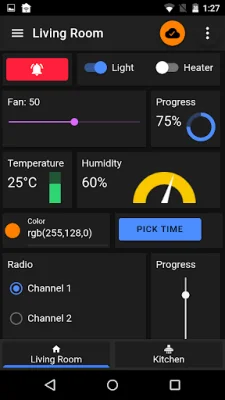
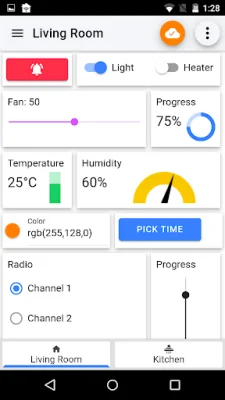
The app features a sleek and modern material design, with the option to customize panel width and merge different panels. You can also choose from over 250 icons to personalize your panels. For those who prefer a darker theme, there is a dark mode available for comfortable use in low light.
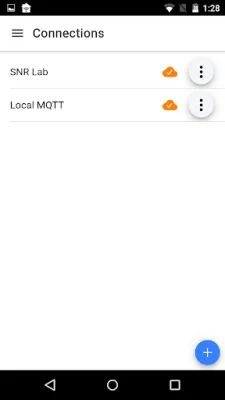
One of the most convenient features of this app is the ability to clone connections, devices, and panels, making it effortless to set up and configure multiple devices. You can also import and export your application configuration, making it easy to share with other devices.
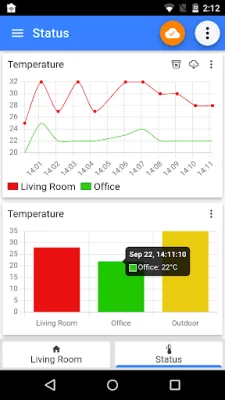
The app runs in the background and automatically reconnects if there is a connection issue. You will also receive notifications when you receive a message, and you can persist export messages for log and graph purposes.
There are a variety of panels available, including buttons, sliders, switches, LED indicators, combo boxes, radio buttons, and more. The list of available panels will continue to grow based on user feedback. If you encounter any issues, please leave a comment on the developer's blog with steps to reproduce the problem. Your feedback is greatly appreciated and will help improve the app for all users.
Overall, this app offers a user-friendly and efficient way to create and control your own DIY Smart Home project. With its simple setup process, customizable panels, and continuous background operation, it is a valuable tool for anyone looking to automate their home. So why not give it a try and see how it can enhance your smart home experience?
Rate the App














Popular Apps









