

Live Earth - 3D View
by Tech Tricks App (0 Reviews) July 17, 2026

Latest Version
July 17, 2026
Tech Tricks App
Tools
Android
0
Free
com.live.earth.map.satelliteview
Report a Problem
More About Live Earth - 3D View
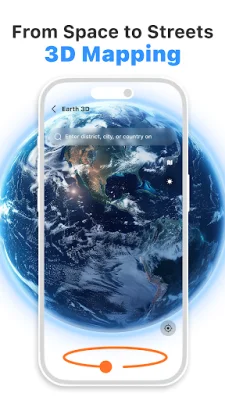
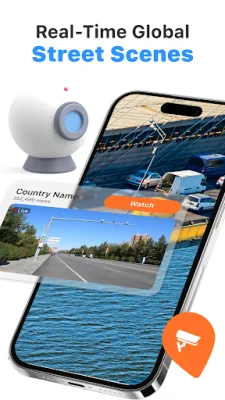
Interactive Earth & Mapping Features is an Android application that allows users to explore the world through various interactive features. With this app, users can view global imagery and street-level scenes, navigate through 3D maps, and access 360-degree panoramic views of major landmarks and places. It also offers a range of daily utilities such as weather information, wallpapers for customization, a compass, world clock, currency converter, and translator.
The app's global imagery feature allows users to view Earth imagery and street-level scenes, providing a comprehensive view of different locations. This feature is especially useful for those who want to explore new places or plan their travels.
With the 3D map navigation feature, users can switch from a world map perspective to supported street-level views, giving them a more detailed and realistic view of their desired location. This feature is perfect for those who want to get a better understanding of their surroundings.
The 360° view access feature allows users to view 360-degree panoramic imagery of selected major landmarks and places. This feature is great for those who want to virtually visit popular tourist destinations or iconic landmarks.
The app also offers a range of integrated daily utilities, making it a one-stop-shop for all your travel and planning needs. Users can access weather information, wallpapers for customization, a compass for direction and orientation, a world clock to view time across multiple time zones, a currency converter for exchange rate information, and a translator for communication across languages.
It's important to note that this app operates as an Android home screen replacement launcher, meaning that users can still access their installed apps and device data while using the app. Additionally, users can easily restore or change their default launcher at any time through their device settings.
For those concerned about privacy, the app only requires internet access for map imagery, weather data, and utility tool information. Location access is also used for compass features, local weather, and relevant geographical information. For any technical support or inquiries, users can contact the app's support team at [email protected]. Overall, Interactive Earth & Mapping Features is a comprehensive and user-friendly app that allows users to explore the world and access useful daily utilities all in one place.
Rate the App














Popular Apps









