Screen Mirroring & Cast to TV
by Shalini tech (0 Reviews) May 26, 2026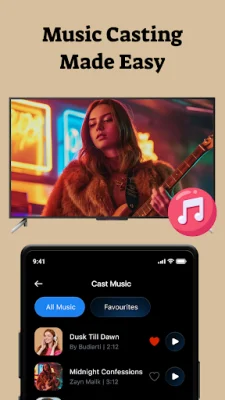
Latest Version
May 26, 2026
Shalini tech
Tools
Android
0
Free
com.smartview.tvcast.mirroring
Report a Problem
More About Screen Mirroring & Cast to TV
Transform your home entertainment experience with Cast to TV, the ultimate solution for casting photos, videos, music, and even mirroring your phone screen to your Smart TV. With its lightning-fast and reliable performance, Cast to TV is the go-to app for all your casting needs.
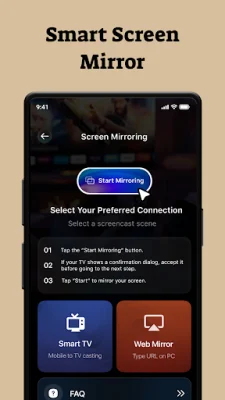
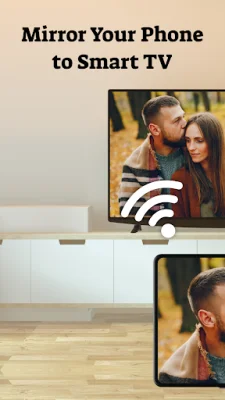
One of the newest and most exciting features of Cast to TV is the ability to mirror your entire phone screen directly to your TV. This means you can stream games, presentations, or any app in real time, making it perfect for watching videos, showing photos, or working from a larger screen. And with its fast, stable, and lag-free performance, you can enjoy a seamless mirroring experience.
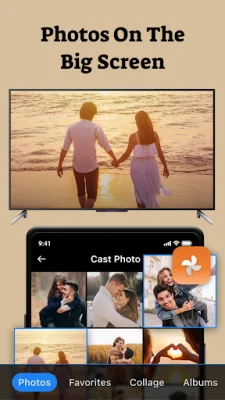
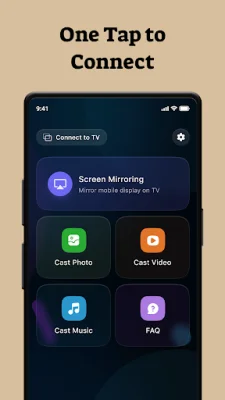
Cast to TV offers a variety of features to enhance your home entertainment. You can easily cast your photos to your TV, allowing you to view your gallery photos on the big screen. This is perfect for sharing family moments, creating slideshows, or displaying photos at events. And with high-quality image casting, your photos will look stunning on your TV.
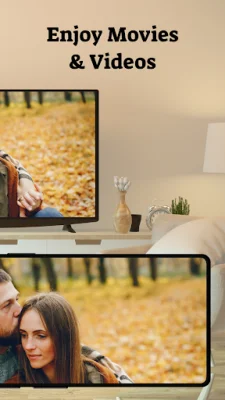
Not only can you cast photos, but you can also cast videos to your TV with Cast to TV. Whether it's movies, reels, status videos, or downloads, you can enjoy smooth playback with no lag. The app supports most video formats, so you can easily cast your favorite videos to your TV.
Cast to TV also allows you to cast your music to your TV speakers, creating a home-theater sound experience. You can easily cast playlists and audio files, making it perfect for parties or just enjoying your music on a larger screen.
The app is user-friendly and easy to set up with just three simple steps. First, connect your phone and TV to the same Wi-Fi network. Then, open the Cast to TV app and select your TV/device name. Finally, start casting or mirroring instantly. It's that easy!
Cast to TV is compatible with a variety of devices, including Chromecast, Android TV, Fire TV, Samsung, LG, Sony, TCL, and all major Smart TVs. It also works with Roku, Xiaomi, OnePlus TV, and more. This makes it a versatile app that can be used with almost any Smart TV.
Users love Cast to TV for its fast and stable casting, real-time screen mirroring, and the fact that it requires no wires or extra hardware. It also has a simple, clean, and easy-to-use interface, making it accessible for all users. And with its ability to connect in seconds, you can start enjoying your favorite content on your TV in no time.
Don't wait any longer, download Cast to TV now and experience the easiest way to cast your photos, videos, music, and mirror your phone screen to any Smart TV. With its impressive features and user-friendly interface, Cast to TV is the ultimate solution for transforming your home entertainment. Try it now and see for yourself!
Rate the App











Popular Apps









