

Latest Version
1.1.16
July 12, 2026
[email protected]
Tools
Android
0
Free
com.aminebehloul.wifidoctor
Report a Problem
More About WiFi Doctor: WiFi Analyzer
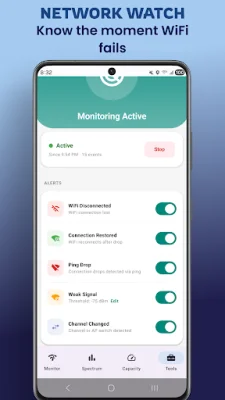
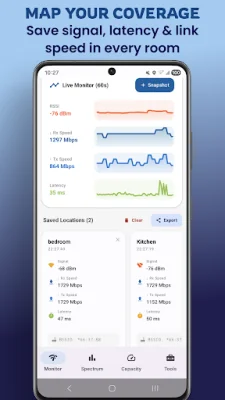
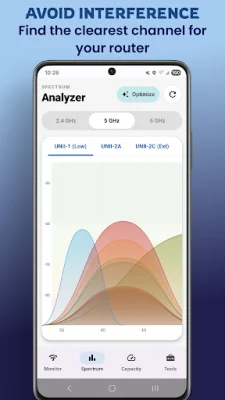
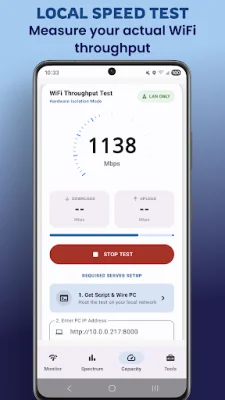
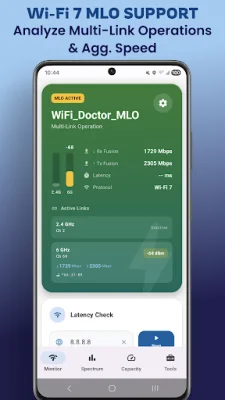
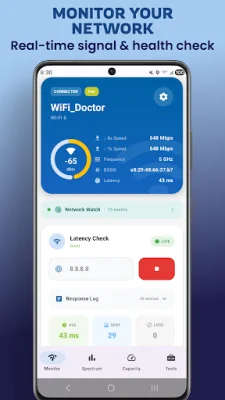
Network Watch is a new application that allows you to monitor your WiFi network in the background without having to constantly keep the app open. It provides various features such as WiFi disconnect alerts, weak signal detection, and ping drop monitoring. These features are available in the Pro version, along with additional features like tracking channel and access point changes and a smart alert engine that prevents spam notifications. The app also offers a real-time network dashboard where you can track the signal strength, latency, stability, and packet loss of your network. It even has a max speed estimator that can calculate the theoretical maximum speed based on your WiFi link rate and signal. One of the unique features of Network Watch is its local WiFi speed test, which measures the actual throughput between your phone and router, rather than your ISP plan. It also has a continuous mode that allows you to walk around and see how the throughput changes in different areas, making it easy to identify dead spots. Additionally, you can test your network against your own PC using a Python script, and the app is optimized for WiFi 7 speeds. With Network Watch, you can also map your WiFi coverage without the need for expensive equipment. You can take snapshots of signal, speed, and latency at different locations and compare them to identify dead zones. The Pro version also allows you to export this data for professional coverage reporting. The app also offers advanced network tools such as an SSH terminal for managing servers and routers, a security audit to scan for vulnerabilities, and a LAN scanner to detect intruders on your network. It also has a WiFi channel analyzer that visualizes congestion on different bands and recommends the clearest channel for a stable connection. Network Watch is also ready for the latest WiFi technology, with support for Multi-Link Operation and scanning on the 6 GHz band. It also prioritizes user privacy by not requiring any accounts or tracking data on the cloud. For those looking for even more features, the Pro version offers background alerts, unlimited speed tests, CSV export, unlimited snapshots, and an ad-free experience for a one-time purchase. However, the free version still includes the full analyzer, scanner, diagnostic tools, and disconnect/reconnect alerts, as well as a trial for the speed test feature. Overall, Network Watch is a comprehensive and reliable WiFi monitoring app that offers a range of useful features for both personal and professional use.
Rate the App















Popular Apps









