
1Tap Cleaner (clear cache)
4.58 by AZSoft Technology Inc. (0 Reviews) August 01, 2024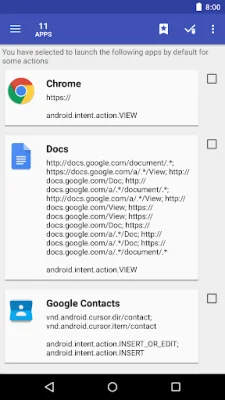
Latest Version
4.58
August 01, 2024
AZSoft Technology Inc.
Tools
Android
0
Free
com.a0soft.gphone.acc.free
Report a Problem
More About 1Tap Cleaner (clear cache)
Are you struggling with limited storage space on your device? Look no further! Our app offers a solution to this problem by clearing out unnecessary cache and data files from your apps, freeing up more space for you to use.
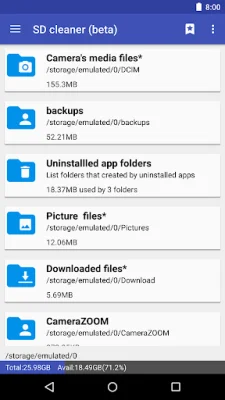
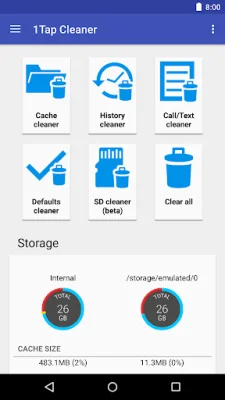
Our app includes several useful features to help you manage your storage. The Cache Cleaner feature allows you to easily clear out cached files and data from your apps, while the Defaults Cleaner helps you to reset any default settings you may have set for certain actions. The SD Cleaner feature also helps to delete junk files from your SD card, further optimizing your device's storage.
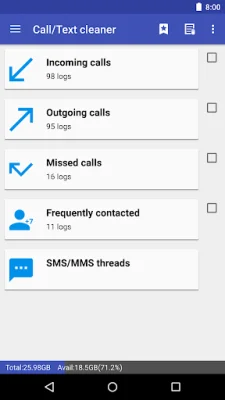
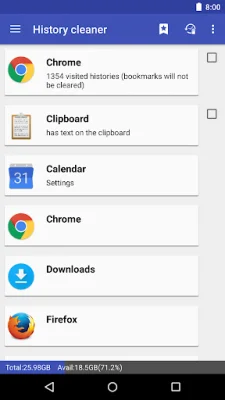
With just one tap, you can clear all cached files, and the home screen widget displays your available storage space. You can also choose to clear cache or history for specific apps, and the app will notify you if any apps are using a large amount of cache space.
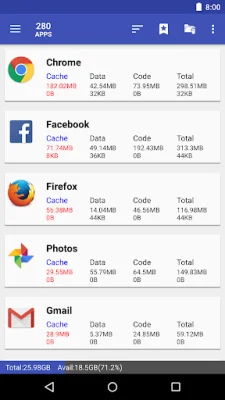
In addition, our app allows you to view and manage your apps by cache, data, code, total size, or app name. You can also access detailed information about each app through the application details page.
Some permissions are required for the app to function properly, such as access to your browsing history and internet connection for sending crash reports. The app also uses Accessibility services to automate certain functions, making it easier for those who have difficulty tapping on their device. To prevent screen rotation during automatic functions, the app requires permission to write settings and draw a wait screen above other apps.
If you need more information or have any questions, you can access the user's manual and FAQ through the app's settings. Please note that the app must be installed on your device's storage in order to use the widget function, as required by Android.
We are proud to have been selected as a Google I/O 2011 Developer Sandbox partner for our innovative design and advanced technology. We also credit the following individuals for their contributions in translating the app into various languages. If you are interested in translating the app into your native language, please let us know. Thank you for choosing our app to help manage your device's storage.
Rate the App















Popular Apps









