

Arduino Bluetooth Control
by broxcode (0 Reviews) October 27, 2024
Latest Version
October 27, 2024
broxcode
Tools
Android
0
Free
com.broxcode.arduinobluetoothfree
Report a Problem
More About Arduino Bluetooth Control
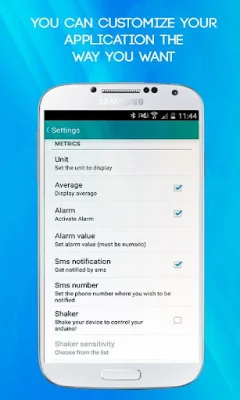
The settings section of this application allows you to personalize it according to your preferences through a user-friendly interface. The app also has a feature that remembers your bluetooth module and automatically connects to the last one used, saving you the hassle of selecting it every time you use the app. Additionally, the app can be used on wearable devices.
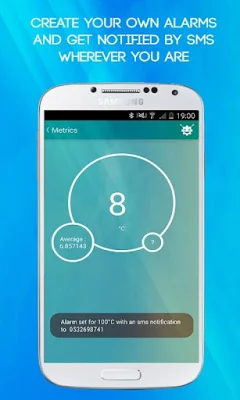
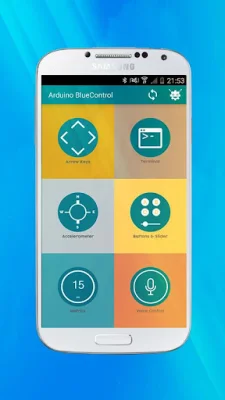
One of the tools available in this app is the Metrics tool, which is designed to receive data from an arduino board through the println() function. This tool allows for special processing of the data, such as setting alarms to be notified of value variations. When an alarm is triggered, a stop button appears for easy control. The app also has a shaking mode, where data can be sent by simply shaking your phone.
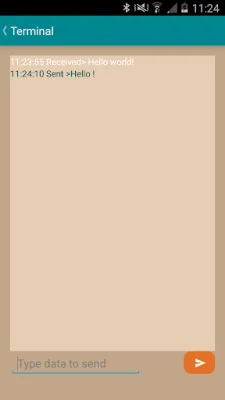
The Arrow keys tool provides customizable direction buttons that can continuously send data to the board by maintaining a long press. The sensitivity of these buttons can also be adjusted. The Terminal tool is a classic terminal that displays data received from the board with corresponding timestamps.
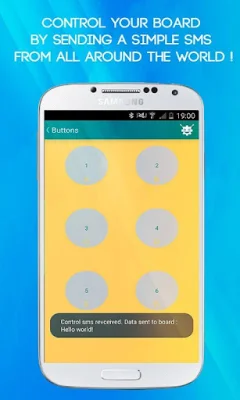
In portrait orientation, the Buttons and slider tool offers six customizable buttons for sending specific data. When the device is rotated, a slider view appears for setting the range of data to be sent. The Accelerometer tool allows for gesture commands to be interpreted and sent to the board, making your phone a steering wheel for your robot. The sensitivity of this tool can also be adjusted through the settings interface.
Another unique feature of this app is Voice Control, where users can customize their own vocal commands to control their microcontroller-based boards. If any issues arise while using the app or if you need a specific feature for controlling your board, the developers are happy to assist. They also offer app customization services for those who want a personalized bluetooth control app. Stay updated and interact with the community by following the app's Facebook page.
Rate the App















Popular Apps









