

Assistive Touch: Easy Control
by SmartPocket Apps (0 Reviews) March 17, 2026
Latest Version
March 17, 2026
SmartPocket Apps
Tools
Android
0
Free
com.assistivetouch.smart.control.center
Report a Problem
More About Assistive Touch: Easy Control
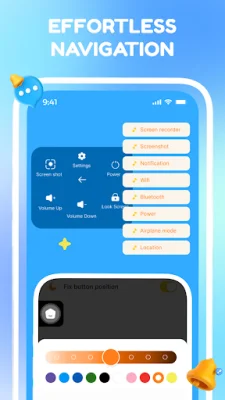
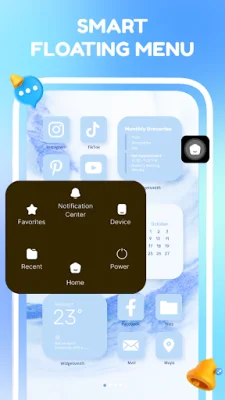
Assistive Touch is an application that aims to improve the user experience on your phone by providing a smoother, faster, and smarter way to navigate. It does this by creating a floating panel on your screen that gives you instant access to your favorite apps, essential settings, and system navigation with just a single tap. This means no more scrolling through pages or searching for apps, as everything you need is easily accessible on the floating panel.
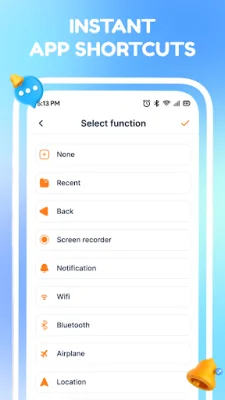
One of the key features of Assistive Touch is the instant app launcher. This allows you to pin your most-used apps to the floating panel, making it quick and easy to launch them without having to search for them. It also has virtual navigation keys that can be used to protect your physical buttons from wear and tear. These keys allow you to navigate your device effortlessly, without putting strain on your physical buttons.
The app also offers one-touch quick settings, which allow you to toggle system features such as Wi-Fi, Bluetooth, and Airplane Mode with just a single tap. You can also adjust volume and brightness quickly, toggle the flashlight, and rotate your screen. Another useful feature is the quick screen lock, which allows you to lock your screen with a single touch, extending the life of your power button.
In addition to these features, Assistive Touch also offers a phone booster that can clean memory (RAM) and boost your phone's speed directly from the menu. It also has an easy screenshot function that allows you to capture your screen without having to use clunky button combinations.
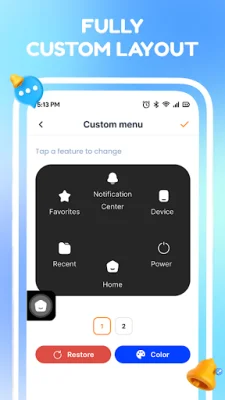
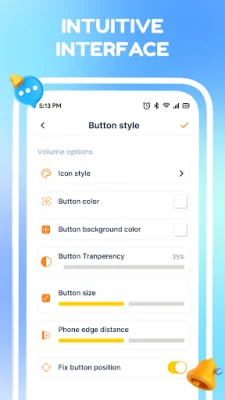
The app also offers advanced customization options, such as choosing from a variety of beautiful icons and adjusting the transparency of the floating button. You can also arrange the layout and shortcuts to fit your personal workflow, and set custom actions for single tap, double tap, or long press on the floating icon.
It's important to note that Assistive Touch utilizes the Accessibility Service API to enable its core features, such as locking the screen, navigating home, back, and recent apps, and performing system-level actions for one-handed use. However, the app does not collect or share any personal or sensitive user data through this API. This permission is strictly required to perform the assistive functions mentioned above.
Overall, Assistive Touch is a lightweight solution for those who have difficulty using their phone with one hand or want to protect their physical buttons from failing. It offers a range of useful features and customization options to improve the user experience on your phone. So why not give it a try and make your smartphone experience truly "easy"!
Rate the App














Popular Apps









