

Assistive Touch for Android
by Madhavkunj Softwares (0 Reviews) December 17, 2025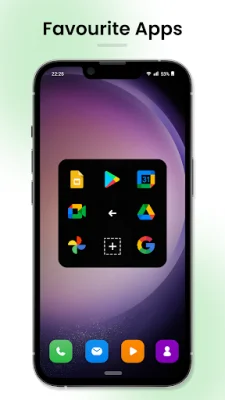
Latest Version
December 17, 2025
Madhavkunj Softwares
Tools
Android
0
Free
com.quickly.actions.performer
Report a Problem
More About Assistive Touch for Android
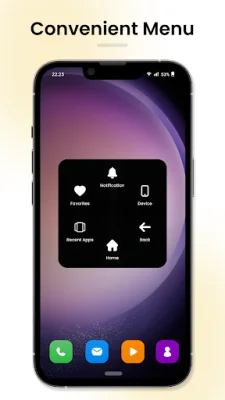
Assistive Touch is an application that helps users quickly access their favorite apps, games, and settings on their Android devices. It requires certain permissions in order to function properly, such as the ability to draw over other apps and use accessibility services. These permissions allow the app to display a quick ball on the screen, which users can tap to access various features and perform actions on their device.
The draw over other apps permission is necessary for Assistive Touch to always be visible on the screen, making it easy for users to access its features at any time. The accessibility service permission allows the app to perform actions on the device, such as opening apps, adjusting settings, and taking screenshots, in order to provide its assistive features. These permissions are essential for the app to function as intended and provide a seamless user experience.
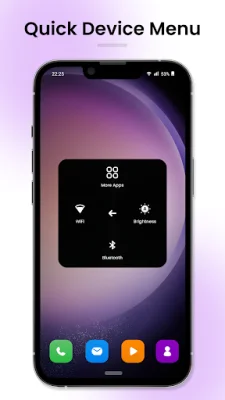
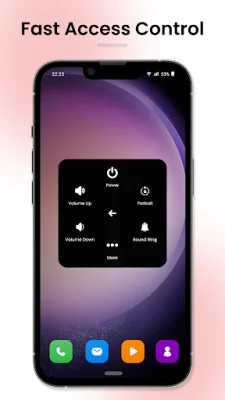
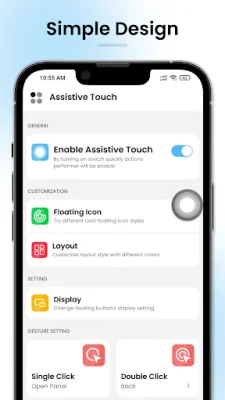
Some of the key features of Assistive Touch include the ability to create a custom menu of frequently used apps, games, and settings, control volume and power settings without using physical buttons, and perform common actions like taking screenshots and turning on the flashlight. The app also offers quick touch settings for functions like capturing screenshots, adjusting volume, and launching all apps and games on the device.
One of the best things about Assistive Touch is its customization options. Users can change the size, transparency, and color of the quick ball, as well as the actions it performs. This allows for a personalized experience and makes the app more user-friendly. Additionally, Assistive Touch is designed to be efficient and battery-friendly, using minimal resources and ensuring that users can use it all day without worrying about draining their battery.
If you're looking for a way to make your Android device more accessible and user-friendly, Assistive Touch is the perfect solution. Its various features and customization options make it a valuable tool for anyone looking to improve their smartphone experience. If you have any further questions about the app or its permissions, the developers are always available to assist you.
Rate the App















Popular Apps









