

ASUS ExpertWiFi
1.0.0.1.70 by ASUSTeK Computer inc. (0 Reviews) August 11, 2024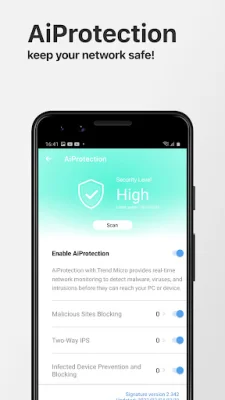
Latest Version
1.0.0.1.70
August 11, 2024
ASUSTeK Computer inc.
Tools
Android
0
Free
com.asus.expertrouter
Report a Problem
More About ASUS ExpertWiFi
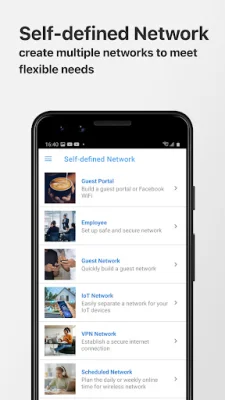
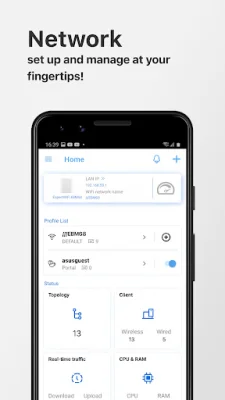
This application is designed to help users monitor and manage their router remotely. It offers a variety of key features to make this process easier and more efficient. One of the main features is SDN, which allows users to create their own customized networks. This includes options for employee, guest, scheduled, and IoT networks. The Scenario Explorer feature also helps users navigate and manage their networks effectively.
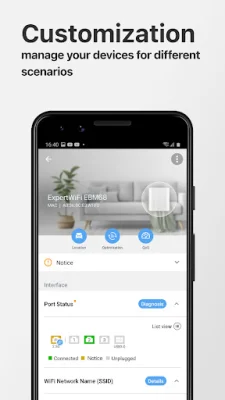
Another important feature is AiMesh, which allows users to add AiMesh nodes to their network. This helps to create a more robust and reliable network topology. Users can also monitor and customize their AiMesh nodes, as well as optimize their network for better performance. The full backhaul options provide even more flexibility and control over the network.
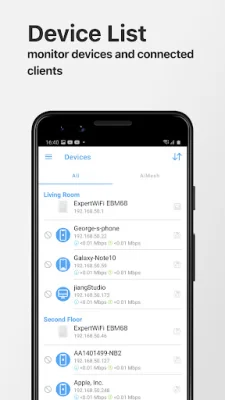
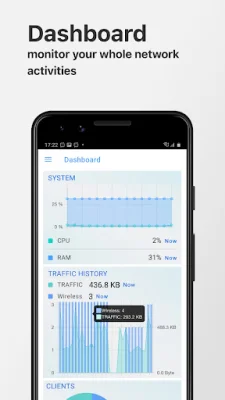
The Dashboard feature provides a system monitor and network data analysis, giving users a comprehensive view of their network's performance. They can also view traffic history to better understand their network usage. The Client Device Management feature allows users to block internet access, set time schedules, and customize device icons and nicknames for easier management.
The AiProtection feature adds an extra layer of security to the network. It includes a security scan, malicious site blocking, and prevention and blocking of infected devices. The application also offers additional features such as 4G/5G auto mobile tethering, device access control, QoS, port status, account binding, firmware updates, DNS settings, wireless settings, router setting backup, IP binding, WOL (Wake-on-LAN), port forwarding, schedule reboot, and ASUS Notice. These features provide users with even more control and customization options for their network.
In summary, this application offers a comprehensive set of features to help users monitor and manage their router remotely. From creating customized networks to optimizing performance and ensuring security, this application has everything users need to effectively manage their network. With additional features for convenience and control, this application is a valuable tool for any router user.
Rate the App















Popular Apps









