

Auto Clicker - Auto Tap
1.0.4 by MIA Studio Inc (0 Reviews) August 11, 2024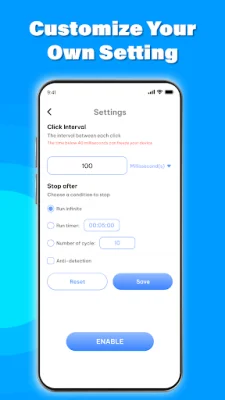

Latest Version
1.0.4
August 11, 2024
MIA Studio Inc
Tools
Android
0
Free
com.tools.auto.tap.autoclicker2
Report a Problem
More About Auto Clicker - Auto Tap
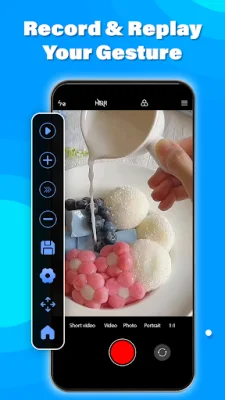
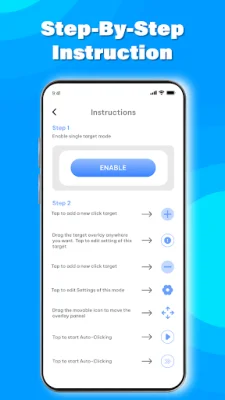
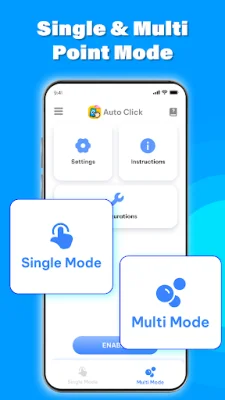
The Auto Clicker app is a useful tool that allows you to automate clicks and gestures on your phone or tablet. It can be used for various tasks such as playing games, using social media, or working. With this app, you can save time and effort by automating repetitive tasks. There are two modes available in the app: single point auto click mode and multi point auto click mode. In single point mode, you can set the app to automatically click at a specific spot on your screen. This is perfect for tasks that require repeated tapping in the same place. For more complex tasks, multi point mode allows you to set multiple points for the auto clicker to perform gestures. This is ideal for games and apps that require tapping in different locations. The app offers various features to enhance your auto clicking experience. You can easily record and replay your gestures, adjust the click speed and intervals, and select the position on the screen for more accurate clicking. It also supports multiple gestures such as swipes and scrolls without touching the screen. You can pause and stop the auto clicker with just one touch and save/load preset configurations for convenience. The app also provides step-by-step instructions for setting up touch automatic. It is designed for smooth performance on full-screen applications and offers stable and swift gestures. With this app, you can optimize your working time and increase productivity. If you have any questions or concerns about the app, you can contact the developers for assistance. The app requires Accessibility Service to work for performing gestures, but it does not collect or share any personal or sensitive data. So, you can use it with peace of mind. Don't wait any longer, download the Auto Clicker app now and start automating your tasks! It's a great way to save time and improve your efficiency.
Rate the App















Popular Apps









