

Auto Clicker- Auto Tap & Swipe
1.2 by Scanner Lab (0 Reviews) September 06, 2024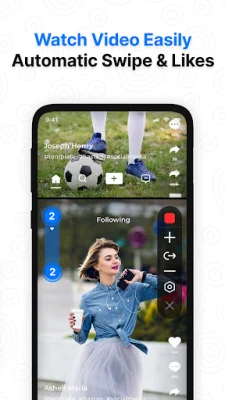


Latest Version
1.2
September 06, 2024
Scanner Lab
Tools
Android
0
Free
clicker.autoclicker.autoscroll.tapper.autoclickerforgames.clickassistant
Report a Problem
More About Auto Clicker- Auto Tap & Swipe
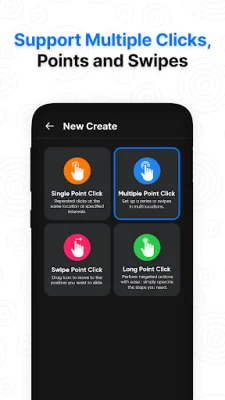
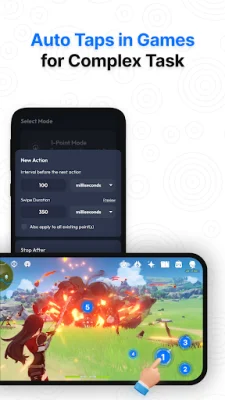
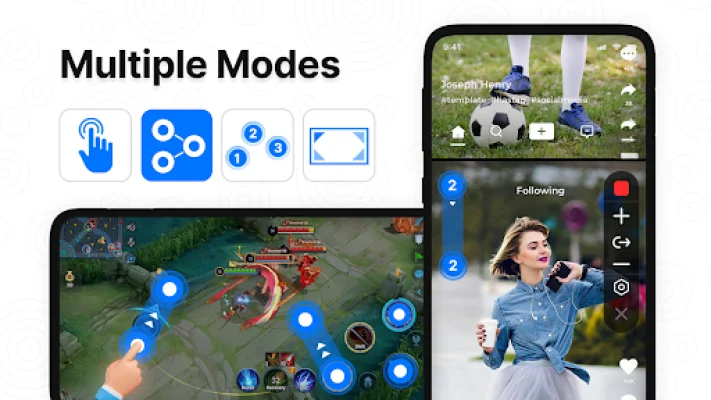
Auto Tapper is an application that helps with tasks that require repeated clicks or swipes. It is especially useful for playing games, auto-liking, and automatically accepting tasks. The app offers two modes for auto-tapping, single point auto-click mode and multi-point auto-click mode, to cater to different needs. In single point auto-click mode, users can set the app to tap repeatedly at one spot on their screen. This is useful for tasks like tapping a button in a game or refreshing a webpage. Users can choose the spot, set the frequency of taps, and let the app do the rest. On the other hand, multi-point auto-click mode allows users to set multiple spots for the app to tap. This is great for more complex tasks, such as games and apps that require tapping in different places. Users can set up each tap with gestures and timing, and the app will act like having multiple fingers tapping on the screen. The app offers various key features to enhance user experience. It has a user-friendly interface that is easy to navigate and use. It also supports multiple click points and swipes, allowing for more flexibility in tasks. Users can easily import and export automatic scripts, adjust the auto-click speed, and choose exact screen locations for accurate clicks. The app also allows for adjustable intervals and durations, supports various gestures, and has one-touch pause and stop for auto clicker actions. Users can also save and load preset configurations, and the app works well with full-screen applications. Auto Tapper is compatible with Android 7.0 and up and does not require root access. However, it does require Accessibility service to function. The app does not collect any private data through this permission. It only uses the AccessibilityService API to enable core features like simulating clicks and swipes on the screen. The app also offers step-by-step instructions for setting up automatic touch, making it easy for users to use the app. It is a stable and fast gesture app that allows users to allocate time to other tasks more effectively. For any suggestions or questions on usage, users can email the developers at [email protected]. The developers value original and SEO-oriented feedback.
Rate the App















Popular Apps









