
Send to TV - Amtify Share File
by Amtify (0 Reviews) April 28, 2026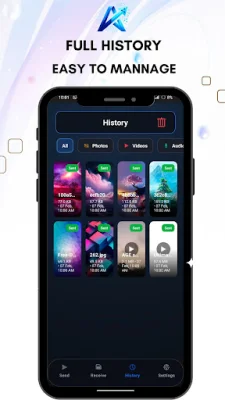
Latest Version
April 28, 2026
Amtify
Tools
Android
0
Free
com.share.Sendtotv
Report a Problem
More About Send to TV - Amtify Share File
Send to TV is a convenient and efficient app that allows you to transfer various types of files, such as photos, videos, and apps, from your mobile device to your Smart TV using your local Wi-Fi network. The best part? No internet connection is needed! Simply connect both devices to the same Wi-Fi network and start sharing.
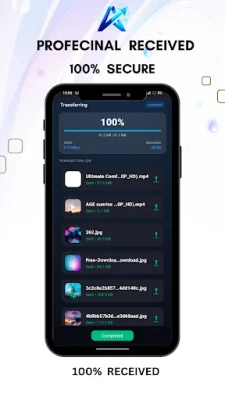
This app is specifically designed for Android TV and Google TV interfaces, making it easy to navigate using your TV remote. With its high-speed transfer feature, you can send large files and movies in just seconds, utilizing the speed of your local network.
Not only can you transfer files, but you can also share everything from photos and videos to audio and documents directly to your TV. You can even transfer installed apps (APKs) to your TV, making it easier to access your favorite apps on the big screen.
Send to TV also comes with a built-in media player, allowing you to watch received videos and view photos directly within the app using the integrated smart player. And for added privacy, all transfers occur locally on your Wi-Fi network, ensuring that your files never leave your network.
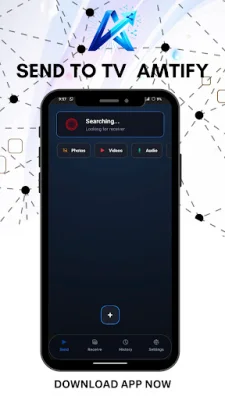
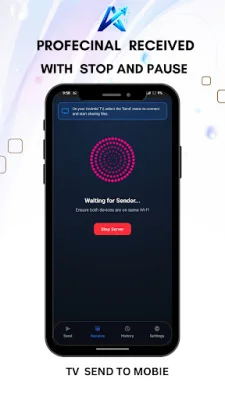
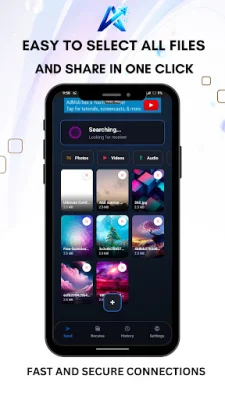
Using Send to TV is simple. Just open the app on both your phone and TV, ensure they are connected to the same Wi-Fi network, and select "Send" on your mobile device and "Receive" on your TV. Choose the files you want to transfer, and watch them transfer instantly!
In addition to its main features, Send to TV also offers additional tools such as an App Manager, which allows you to extract and share installed APKs from your phone for sideloading on your TV. You can also keep track of all sent and received files with the File History feature, and mark important files as favorites for quick access.
Experience the easiest way to share files on the big screen by downloading Send to TV now. With its user-friendly interface and efficient transfer capabilities, this app is a must-have for anyone looking to share files between their mobile device and Smart TV.
Rate the App















Popular Apps









