

Auto Cursor
1.10.2 by Toneiv Apps (0 Reviews) April 23, 2026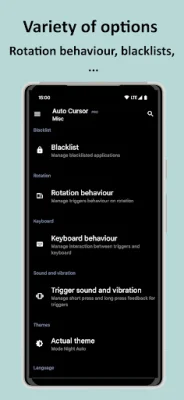
Latest Version
1.10.2
April 23, 2026
Toneiv Apps
Tools
Android
0
Free
eu.toneiv.cursor
Report a Problem
More About Auto Cursor
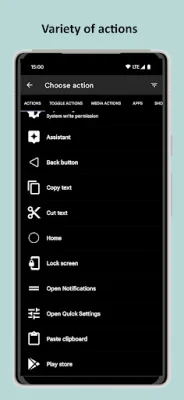
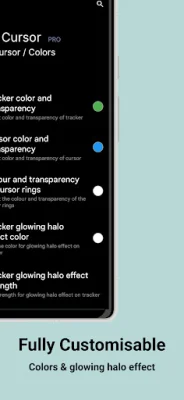
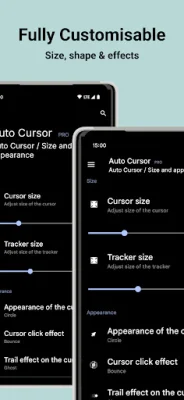
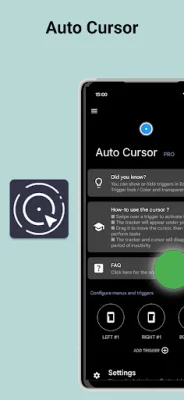
Auto Cursor is an application that allows you to use your cursor to easily navigate and perform actions on your device. With this app, you can reach every side of your screen and perform various actions such as clicking, long clicking, and dragging. You can also customize the triggers, tracker, and cursor to your liking by choosing their size, color, and effects. There are a variety of actions available for you to choose from, including back button, home, recent apps, open notification, power off dialog, lock screen, and more. You can also toggle various settings such as Bluetooth, WiFi, GPS, and sound, as well as perform media actions like play, pause, and adjust volume. Additionally, you can launch applications and shortcuts with this app. Auto Cursor is fully customizable, allowing you to swipe on the left, right, or bottom edge of your screen to show the cursor and perform actions. You can also customize the triggers by choosing their place, size, and colors, and distinguish between click and long click actions. The Pro version of the app offers even more features, such as the ability to perform long click and drag actions, add long click actions to triggers, and access to more actions and menus. Privacy is a top priority for the developers of Auto Cursor, which is why the app does not require any internet authorization and does not send any data over the internet without your knowledge. The app also requires you to enable its accessibility service before use, but this is only to enable its functionality. The app will never collect or send any data across the network. For certain devices, such as HUAWEI and XIAOMI, there may be additional steps required to use Auto Cursor. These steps are outlined in the app description and can be easily followed to ensure the app works properly on your device. Auto Cursor is currently available in multiple languages, including English, French, Italian, Russian, Ukrainian, and Chinese. There is also an incomplete translation available in German, Spanish, Dutch, Polish, and Portuguese. If you would like to help translate the app into your native language or report an error in an ongoing translation, you can contact the developers at [email protected]. You can also change the default language of the app in the "About / Translation" menu. If you have any questions or issues with the app, there is a detailed FAQ available on the app's website. You can also report any issues on the app's GitHub page. The developers encourage original and SEO-oriented issue reports to help improve the app. Overall, Auto Cursor is a useful and customizable tool for navigating and performing actions on your device with ease.
Rate the App













Popular Apps









