
Auto Move To SD Card
1.9 by 8D CUBE TECH (0 Reviews) December 16, 2025
Latest Version
1.9
December 16, 2025
8D CUBE TECH
Tools
Android
0
Free
com.alldata.move.sdcard.sdcarddata
Report a Problem
More About Auto Move To SD Card
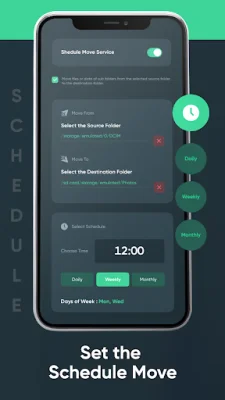
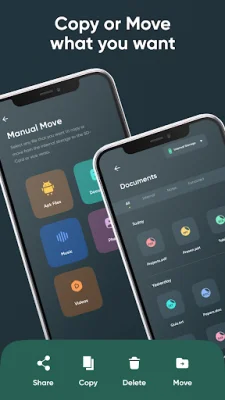
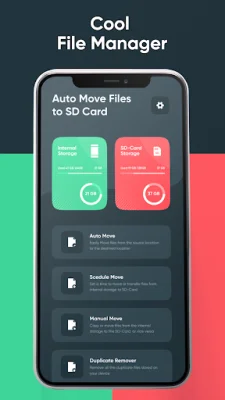
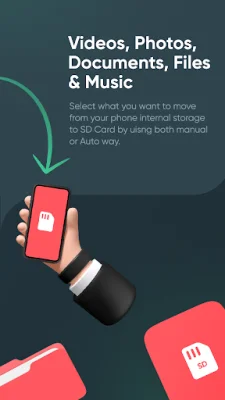
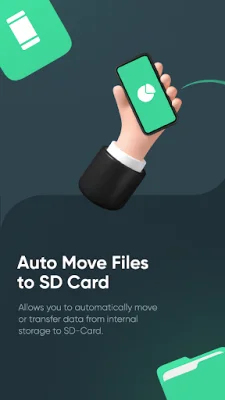
Auto Move to SD Card is a storage management application that allows users to easily and efficiently transfer apps from their phone's internal storage to their SD card. It offers a variety of features to cater to different user preferences and needs. With just a few taps, users can manually move apps, set up automatic transfers, or schedule transfers at a convenient time. The app also provides tools for monitoring and managing both internal and SD card storage, as well as a space cleaner to identify and transfer large apps to free up phone space and improve performance. One of the key features of Auto Move to SD Card is its flexibility in allowing users to choose how they want to manage their storage. For those who prefer full control, the manual move option is perfect. Users can also opt for the auto move feature, which automatically transfers apps to the SD card as soon as they are installed. And for those who want to regularly maintain their storage without interrupting their workflow, the schedule move feature allows them to set a specific time for app transfers. The app also offers customizable settings to tailor the user experience to their specific needs. Users can easily monitor and manage both internal and SD card storage, as well as transfer apps with just one tap. The user-friendly interface makes it simple for everyone to use, and the app is regularly updated to provide the best features and performance improvements. In case of any issues or questions, a dedicated support team is available to assist users. To use Auto Move to SD Card, users simply need to download and install the app from the Play Store, grant necessary permissions, select the apps they want to transfer, and tap the transfer button. The app will handle the rest, making it easy for users to enjoy a clutter-free phone. With keywords such as "move apps to SD card," "free up phone space," and "storage cleaner," the app is designed to be SEO-friendly and easily discoverable by users. However, the app developers also provide a disclaimer, stating that the time to transfer data may vary depending on the user's SD card quality. They also do not take responsibility for any data loss due to using the app for personal purposes other than its specified functions. The latest update of the app includes a schedule move feature, improved auto move functionality, enhanced user interface, and bug fixes and performance improvements based on user feedback. Overall, Auto Move to SD Card is a reliable and efficient solution for managing phone storage and optimizing performance.
Rate the App














Popular Apps









