

Blackr: OLED Screen Off
8.6 by Neximo Tech (0 Reviews) May 10, 2026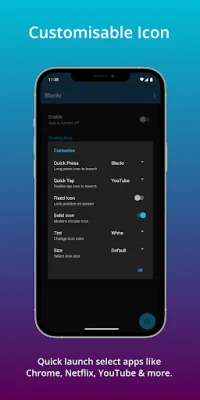
Latest Version
8.6
May 10, 2026
Neximo Tech
Tools
Android
0
Free
com.neximolabs.blackr
Report a Problem
More About Blackr: OLED Screen Off
This application has been installed by over 1 million users worldwide and has a simple and smart design that makes it easy and convenient to use. It works best with OLED and AMOLED displays that can switch off any pixel displaying true black. It can also be used as a pure black screen app, always on display, or simulated lock screen depending on the situation.
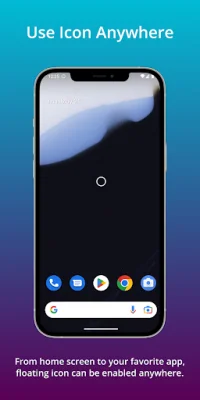
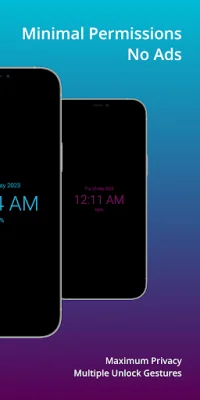
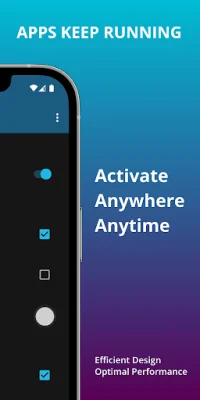
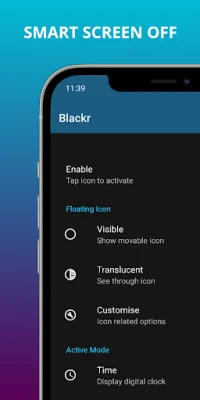
The app contains no ads and requires minimal permissions, including no internet permission. It was designed with user privacy and battery usage in mind. Some of its features include the ability to use notifications, widgets, or a floating icon to start, full black screen support, and the ability to keep apps running while the screen is essentially off. It also has a clock toggle for pure black screen, a motion clock to prevent screen burn-in, and the option to display the date, time, and battery level.
The app also has advanced features such as fixed icon position, modern icon design, an unlock button to prevent accidental unlocking, and screen opacity control, making it highly customizable to the user's preferences and needs. It also has a quick launch feature that allows users to launch their favorite apps with a simple tap or press, including popular apps like YouTube, Netflix, and Disney+.
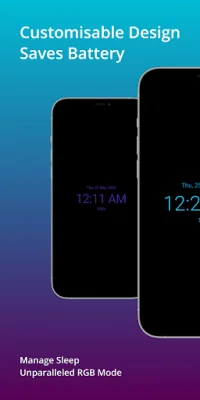
The app also has a unique unlock style that allows for advanced gestures to disable the black screen mode and prevent accidental unlocking. It also has RGB lighting that fades through different hues, giving the design a modern aesthetic. The symmetrical clock feature ensures that the clock moves only along the vertical axis for perfect symmetry while avoiding any chances of burn-in, helping to prolong the life of the screen.
The app can be used in various scenarios, such as recording long videos, watching videos with the screen off, or streaming videos while listening to music. It is also useful for keeping the screen on or off manually rather than using the lock button frequently. It works best on OLED screens but can still be used on any display. It is optimized for devices like Google Pixel, Samsung Galaxy, OnePlus, and more.
The app works by displaying a black overlay on top of the screen, effectively turning off the display. This helps to reduce power consumption and prevent screen burn-in. It can also be used to reduce any existing burn-in on screens by changing the lit pixels every minute. Overall, this app has countless uses and has received endless love from its users, with an 8th anniversary feature drop now live.
Rate the App









Popular Apps









