
Bluetooth Finder Scanner Pair
2.2.0 by Manjul Saini (0 Reviews) August 12, 2024
Latest Version
2.2.0
August 12, 2024
Manjul Saini
Tools
Android
0
Free
com.manjul.bluetoothsdp
Report a Problem
More About Bluetooth Finder Scanner Pair
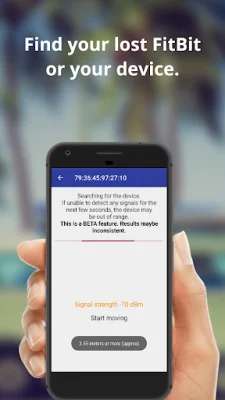
This application aims to make it easier for users to locate their Bluetooth devices. With a wide range of Bluetooth devices available, such as speakers, headsets, and car speakers, it can be a hassle to connect to a specific device. This app uses the received signal strength indication (RSSI) to help users find their Bluetooth devices. The closer the user gets to the device, the stronger the signal will be, making it easier to locate.
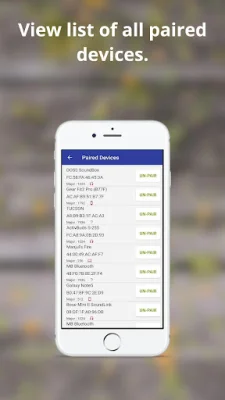
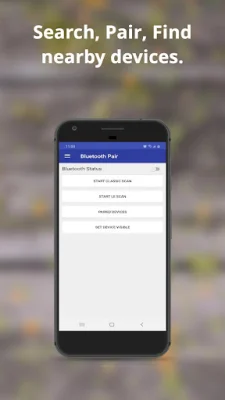
The app has several useful features, including the ability to find all types of Bluetooth devices, whether they are connected, paired, unknown, or hearing aids. Users can also keep track of their devices and connect to them using the app. It is compatible with Bluetooth 4.0+ devices and can find both BLE and classic devices, such as smartwatches, TVs, and computers. Additionally, users can pair and unpair their Bluetooth devices and order them by various criteria, such as RSSI, address, name, and vendor. The app also allows users to export their device database for further processing.
With this app, users can easily locate their Bluetooth devices, such as headsets, headphones, digital watches, fitness bands, and mobile phones. It eliminates the stress of losing a device by providing an exact location. Users can confidently misplace their Bluetooth devices, knowing that the app will help them find it when needed.
The Bluetooth scanner feature is particularly useful for quickly finding lost devices, such as wireless headsets, speakers, and phones. Users can simply select the device they want to find and start searching. Once they get close to the lost device, the app will start an alarm, making it easier to locate. Additionally, the app automates the pairing process for Bluetooth connections. This means that once a device is paired, the app will automatically connect to it the next time it is in range. This feature is especially helpful for frequently used devices, such as headsets, car speakers, and mobile devices.
Rate the App















Popular Apps









