

Bluetooth Firewall
4.7.1 by FruitMobile (0 Reviews) September 07, 2024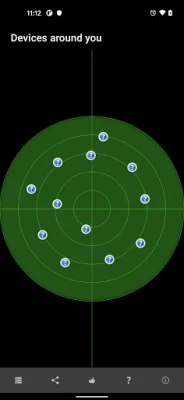
Latest Version
4.7.1
September 07, 2024
FruitMobile
Tools
Android
0
$2.99
com.fruitmobile.android.bluetooth.firewall
Report a Problem
More About Bluetooth Firewall
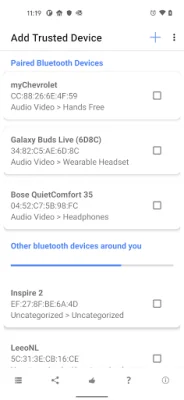
The new update for this application includes several new features and improvements. One of the main additions is the ability to save devices by name. This means that the firewall will now recognize these saved devices during connection attempts, making it easier to manage and monitor your device's connections. Additionally, there is now an option to see when a saved device connects using another name, providing even more control and visibility over your device's connections.
Another significant change is that the location permission is no longer required for device search on Android 12+. This means that users on this operating system will no longer have to grant location access for the app to scan for nearby devices. However, Android 12+ now requires the 'Nearby devices' permission for monitoring, and Android 13+ requires the 'Notifications' permission for firewall alerts. These changes are necessary for the app to function properly and provide the best protection for your device.
The update also includes performance improvements, making the app run smoother and faster. The Blueborne guard has been removed from devices that already have the security patch, as it is no longer needed. A bugfix has also been implemented to address the issue of a password prompt showing up on certain devices.
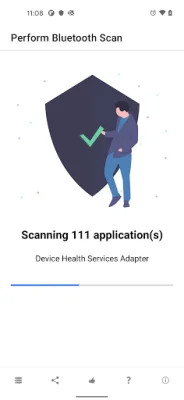
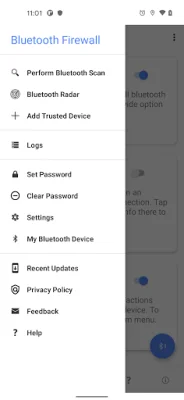
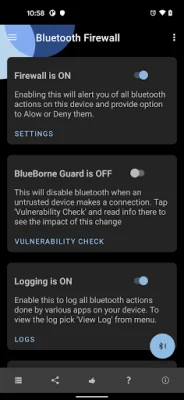
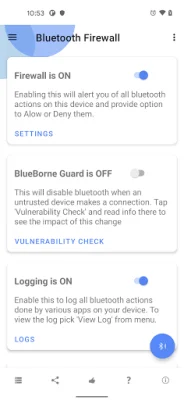
In terms of features, the app offers a Bluetooth Radar View, Firewall Alerts, and the ability to perform a Bluetooth scan of your Android device. It also logs all Bluetooth events, providing a comprehensive record of your device's connections. For added security, the app allows you to password protect the firewall and its sensitive data. You can also choose to make certain remote devices trusted, giving them unrestricted access to your device.
The app also has a Strict Mode, which alerts you when local apps try to perform Bluetooth actions, when remote Bluetooth devices connect or pair with your device, and when an app with Bluetooth capabilities is installed or updated. This helps you stay informed and in control of your device's Bluetooth connections.
To get started with the app, simply install it, open it, and then exit the app. The firewall will run in the background and guard your device. If you need any help, there is a detailed help section included in the app. And if you have any further questions, you can contact the support team at [email protected]. They are always happy to assist and provide original and SEO-oriented solutions.
Rate the App















Popular Apps









