

Bluetooth keyboard mouse input
0.9.5 by Slions (0 Reviews) May 16, 2026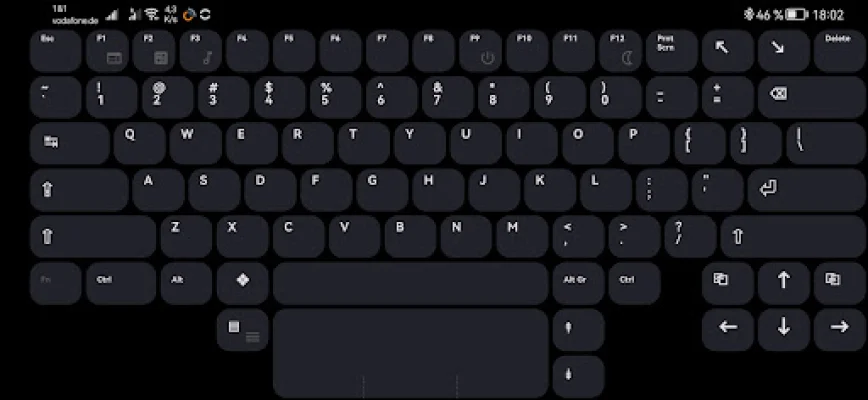
Latest Version
0.9.5
May 16, 2026
Slions
Tools
Android
0
Free
net.slions.interface.google
Report a Problem
More About Bluetooth keyboard mouse input
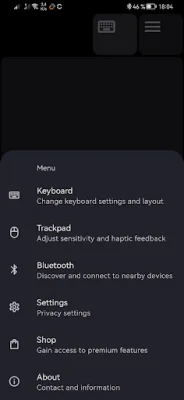
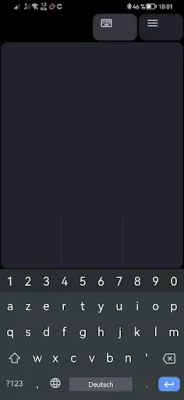
This application is designed to enhance the user experience on Android devices by providing a customizable keyboard and trackpad. It offers two modes, portrait and landscape, to cater to different user preferences. In portrait mode, the keyboard is optimized for Android devices, while in landscape mode, it transforms into a full PC keyboard for a more traditional typing experience. This makes it suitable for both casual and professional use.
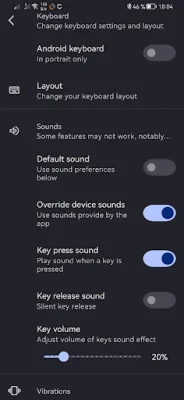
The keyboard is specifically designed for Samsung Galaxy S8 Ultra and other 14" tablets, providing a total of 99 keys. It also supports over 200 keyboard layouts, including both ANSI and ISO layouts, making it suitable for users from different regions. The app also offers the option to swap the Fn and Ctrl keys, allowing users to customize their keyboard layout according to their preferences.
In addition to traditional typing functions, the app also offers Alt codes, which can be accessed by pressing Fn+Alt+digits. This feature is particularly useful for users who frequently need to type special characters or symbols. The app also includes scroll lock and caps lock LEDs, making it easier for users to keep track of their keyboard settings.
The app also offers media control functions, allowing users to adjust volume and control media playback directly from the keyboard. It also includes sleep and power buttons, providing a convenient way to put the device to sleep or turn it off. Users can also adjust the screen brightness directly from the keyboard, making it a convenient tool for managing device settings.
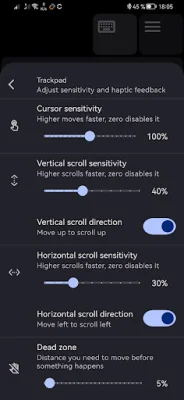
In addition to the keyboard, the app also includes a mouse trackpad with three buttons. This allows users to navigate their device without having to touch the screen, making it ideal for situations where the screen may be difficult to reach. The trackpad also supports two-finger scroll gestures, providing a smooth and intuitive navigation experience.
In summary, this application offers a comprehensive and customizable keyboard and trackpad experience for Android devices. With its various modes, keyboard layouts, and additional features, it caters to the needs of both casual and professional users. Its convenient functions and user-friendly design make it a valuable tool for enhancing productivity and convenience on Android devices.
Rate the App













Popular Apps









