

Bluetooth Radar - Find Devices
1.3.2 by FruitMobile (0 Reviews) September 11, 2024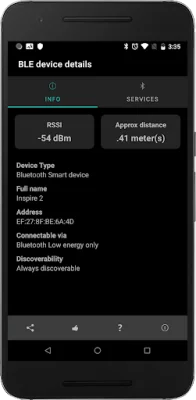
Latest Version
1.3.2
September 11, 2024
FruitMobile
Tools
Android
0
$0.99
com.fruitmobile.bluetoothradar
Report a Problem
More About Bluetooth Radar - Find Devices
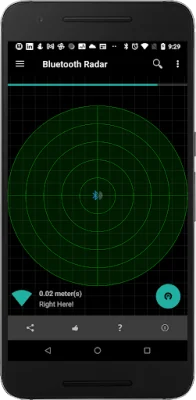
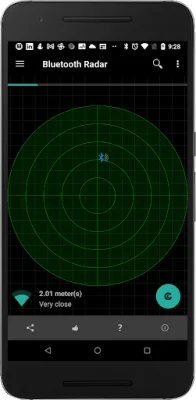
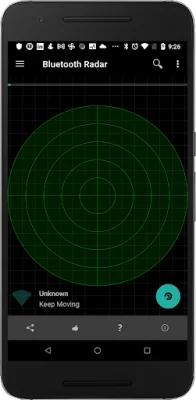
Fruitmobile's 'Bluetooth Radar' is a user-friendly application that allows you to track the location of your Bluetooth devices in real-time. It updates the position of the device on the radar every second, making it easy to determine whether you are moving towards or away from it. This app is perfect for finding lost fitness accessories or discovering all the Bluetooth devices and beacons in your vicinity.
The best part about this app is that it does not require root access, contains no ads, and does not need internet permission. The only permission it requires is location access, which is necessary for finding devices on Android Marshmallow.
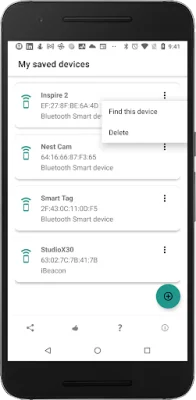
The app has several useful features, including the ability to display Bluetooth smart devices and update their position on the radar every second. You can also use it to find a lost Bluetooth accessory or any other saved device. Additionally, it can detect all beacons around you, such as EddyStone, iBeacon, or alt beacon, and even show the URLs advertised by EddyStone beacons. You can also view detailed information about different types of EddyStone beacons, such as TLM or Uid, by tapping on each device on the radar.
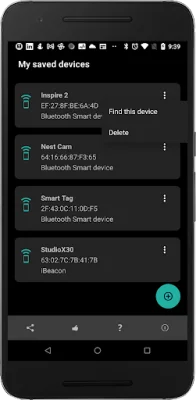
Moreover, you can connect to a device and view the services running on it. This feature can come in handy if you are trying to troubleshoot any issues with your Bluetooth devices. The app also allows you to save your favorite devices, making it easier to find them later if they get misplaced.
If you want to learn more about the app and its features, you can visit the website http://www.fruitmobile.com/bt_radar.html, which includes screenshots for a better understanding. If you have any questions, suggestions, or feature requests, you can contact the support team at [email protected].
Some frequently asked questions about the app include whether you should save all your devices, to which the answer is yes. Saving your devices can help you locate them if they get misplaced later on. Another common question is how to find a lost Fitbit. The answer is simple - go to the menu and select "Find a Device," then choose your device from the saved devices list and move around in the area where you think you might have misplaced it. The device will show up on the radar if it is nearby, and you can move around until it is in the center of the radar.
Rate the App















Popular Apps









