

BlueTooth Terminal eDebugger
1.4.6 by BetterTools (0 Reviews) August 10, 2024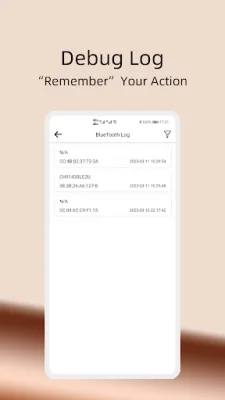
Latest Version
1.4.6
August 10, 2024
BetterTools
Tools
Android
0
Free
com.e.debugger
Report a Problem
More About BlueTooth Terminal eDebugger
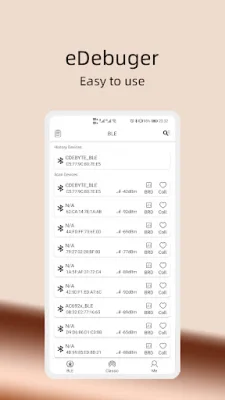
We have created a user-friendly Bluetooth application that focuses on improving the efficiency of debugging for both Bluetooth low energy and classic Bluetooth SPP devices. Our app offers several key features, including Memory channel, Custom command, Waveform diagram, Send File, and Find Bluetooth device. These features are designed to make the debugging process easier and more efficient for our users.
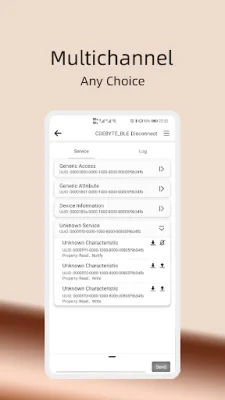
The Memory channel feature allows users to save the channel they used last time and automatically complete the subscription function after connecting to Bluetooth. This saves time and effort for users who frequently use the same channel for their devices.
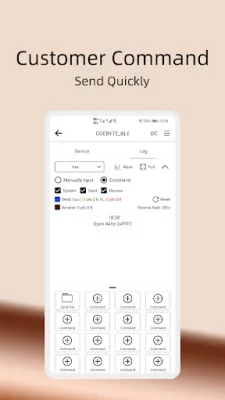
With the Custom command feature, commonly used instructions can be saved and sent with just one click, making the debugging process faster and more convenient. This feature is especially useful for users who frequently use the same commands for their devices.
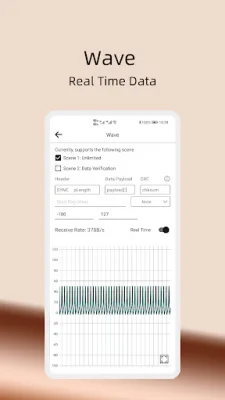
The Waveform diagram feature is a visual representation of the received hexadecimal data in real time. This allows users to easily see data changes and supports data verification using algorithms such as CheckSum, CRC-8, and LRC to ensure data accuracy.
Our app also supports both Bluetooth low energy and classic Bluetooth SPP devices. For Bluetooth low energy devices, our app offers features such as real-time line chart of RSSI signal strength and communication with a tree structure of all services and feature UUIDs. For classic Bluetooth devices, our app allows for communication with both devices and mobile phones, with support for multiple encoding methods.
In case of a lost Bluetooth device, our app offers the Find Bluetooth device feature. Using RSSI changes, our app can estimate the distance to the lost device and help users locate it. Additionally, our app offers practical functions such as Favorites, Logs, and Log filtering to make the debugging process even more efficient and convenient for our users. We also support multiple languages to cater to different language environments.
Rate the App















Popular Apps









