
Button for the Zello
ZTool4.79 by Allan Ribas (0 Reviews) July 30, 2024
Latest Version
ZTool4.79
July 30, 2024
Allan Ribas
Tools
Android
0
Free
br.com.aksr.zello.prip
Report a Problem
More About Button for the Zello
An overlay is a feature that can be added to the Zello application, which allows users to activate and deactivate the action button. This button is used for transmitting audio messages on the Zello platform. By clicking the overlay button, users can easily start and stop their transmissions. This feature is especially useful for users who frequently use the Zello app and want a more convenient way to control the action button.
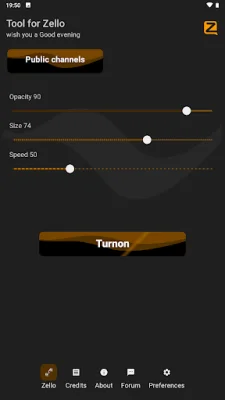
One of the main benefits of this overlay is the ability to lock the button. This means that users can click the button once to lock it, and then click it again to release it. This prevents accidental clicks and ensures that the button is only activated when the user intends to use it. Additionally, users can also set a desired size for the button, making it easier to see and click on.
The overlay also allows users to adjust the opacity of the button. This means that users can make the button more or less transparent, depending on their personal preferences. This feature can also be useful for users who have difficulty seeing the button or want to make it less distracting.
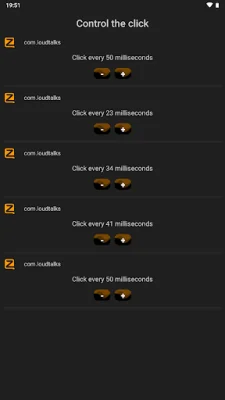
Another unique feature of this overlay is the ability to set automatic clicks. This means that users can force the button to click repeatedly until it is activated. This can be helpful for users who have difficulty clicking the button quickly or want to ensure that their transmission is sent successfully.
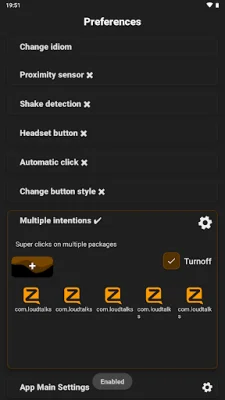
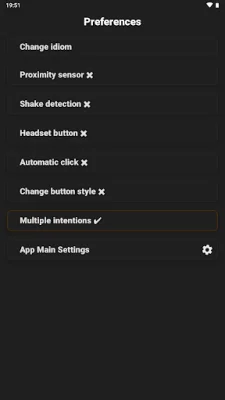
Finally, the overlay offers two additional ways to activate the button. Users can use the proximity sensor on their device to activate the button, making it even easier to use. They can also activate the button with the screen off by using the volume up button. These features provide users with more options for activating the button and make the Zello app even more user-friendly.
Rate the App















Popular Apps









