

Connection Stabilizer Booster
by Supersonic Software (0 Reviews) May 13, 2026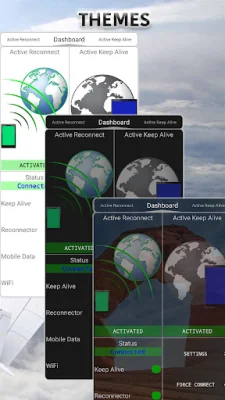
Latest Version
May 13, 2026
Supersonic Software
Tools
Android
0
Free
com.connectionstabilizerbooster
Report a Problem
More About Connection Stabilizer Booster
If you're struggling with your WiFi or mobile data connection, this app is designed to help. It's packed with powerful features that aim to deliver a stable and reliable internet connection on your mobile device.
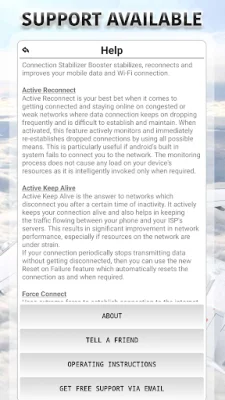
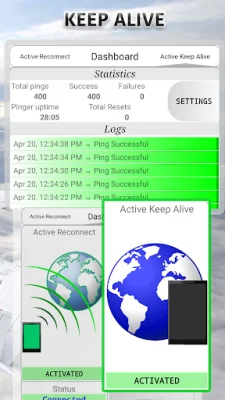
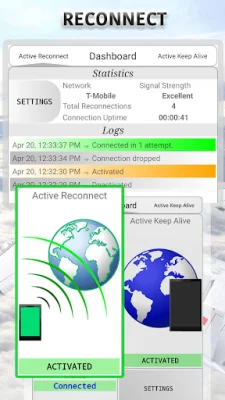
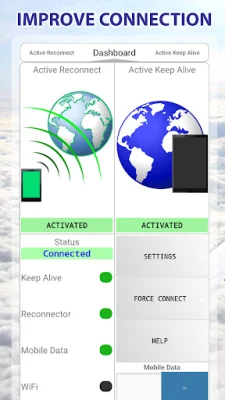
One of the key features of this app is Active Keep Alive, which prevents your connection from being disconnected due to inactivity. This can be a common issue with wireless service providers, causing delays, packet loss, and other problems. By keeping your connection active, this feature can improve network performance and enhance your overall internet experience.
Another useful feature is Active Reconnect, which automatically re-establishes dropped connections. This can be especially helpful if your device frequently loses data signal and fails to reconnect. However, it may require root access or additional setup on newer Android versions.
The app also includes a Force Connect option, which repeatedly attempts to connect to the internet in adverse network conditions. This can be useful if you're struggling to establish a connection on a weak or busy network.
Since 2014, this app has been helping users around the world with their internet connection issues. Support is available via email, and the app claims to be able to fix problems on a variety of carriers, including T-Mobile, Verizon, Sprint, AT&T, and more.
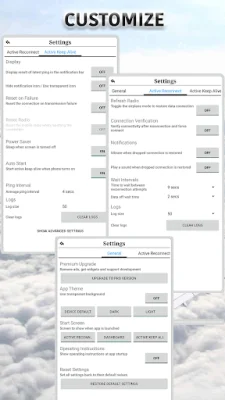
For best results, the app offers some pro tips, such as using Active Reconnect for random disconnections and adjusting the ping interval in Active Keep Alive settings. However, the app cannot directly increase the power of your cellular or WiFi signals, but it aims to optimize and utilize available network resources to improve your connection experience.
It's important to note that when using Active Reconnect, you should not turn off your mobile data directly from your device. Instead, use the data setting button on the app's dashboard or deactivate Active Reconnect before turning off mobile data from your device's settings. And if you have any issues or questions, the app encourages you to contact them directly via email rather than using the Play Store's review system.
This app is also available in German, translated by Mokkami. However, it's important to remember that this app cannot guarantee a perfect connection, as there are many variables at play in wireless networks. But by utilizing its features, it aims to provide a stable and reliable internet connection on your mobile device.
Rate the App















Popular Apps









