
Copy To SIM - Contact Manager
4.0.8 by sadens Studio (0 Reviews) December 16, 2025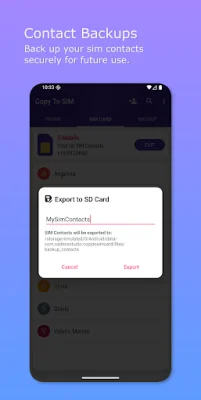
Latest Version
4.0.8
December 16, 2025
sadens Studio
Tools
Android
0
Free
com.sadensstudio.copytosimcard
Report a Problem
More About Copy To SIM - Contact Manager
In today's world, our contacts are crucial for staying connected. However, managing them across different devices and backups can be confusing and risky. This is where Copy To SIM comes in. It is a comprehensive tool that allows you to back up, manage, and share your contacts with complete privacy and control.
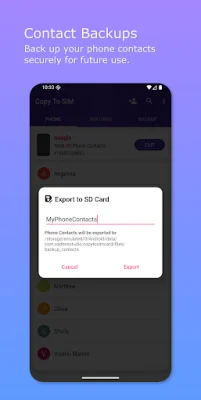
One of the key features of Copy To SIM is its ability to create secure, local backups of your entire address book directly to your device. This means that your data stays with you and is not collected, stored, or shared by the app. This ensures the utmost privacy for your personal information.
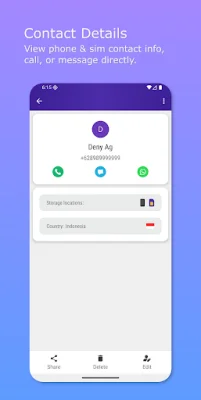
Additionally, Copy To SIM offers powerful tools for managing your contacts beyond your phone's basic settings. You can easily add, edit, or delete contacts on both your phone and SIM card, making it a one-stop solution for all your contact management needs.
The app also makes sharing contacts effortless. You can quickly select and share multiple contacts with anyone through messaging, email, or any other app on your phone. This feature is especially useful for those who frequently need to share contacts with others.
Users love Copy To SIM for its privacy guarantee, crystal-clear interface, lightning-fast performance, and the ability to unlock the potential of their SIM card. The app is designed to be user-friendly for both tech newbies and power users, with a clean and intuitive tab-based design.
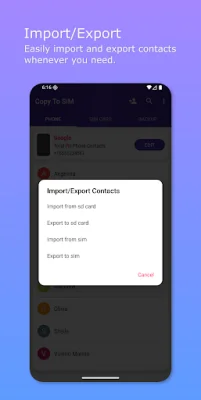
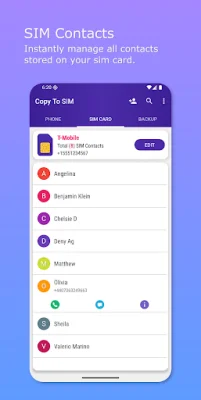
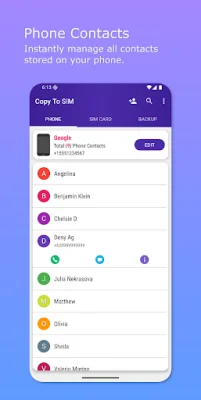
The app is organized into three tabs for easy navigation and control. The Phone Contacts tab allows you to manage everything in your phone's memory, export or import contacts from your SIM, back up and restore contacts to your device's storage, and share contacts instantly. The SIM Card Contacts tab gives you direct access to managing contacts on your SIM, a rare and powerful feature. And the Backup & Restore tab serves as your digital safety deposit box, where you can store backups in the universal .vcf format and easily restore them to your phone or SIM.
Privacy is a top priority for Copy To SIM. The app only requests essential permissions and does not access your data, require an internet connection, or use cloud servers. This means that your contacts remain yours alone, giving you peace of mind.
Copy To SIM also offers the option to switch between light and dark themes, making it customizable to your preferences. It is currently optimized for single-SIM devices, making it a convenient and efficient tool for managing your contacts.
Rate the App














Popular Apps









