Files To SD Card or USB Drive
1.6953 by Michal Bukáček (0 Reviews) August 03, 2024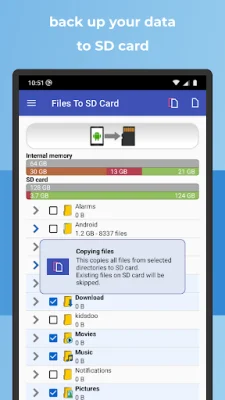
Latest Version
1.6953
August 03, 2024
Michal Bukáček
Tools
Android
0
Free
cz.bukacek.filestosdcard
Report a Problem
More About Files To SD Card or USB Drive
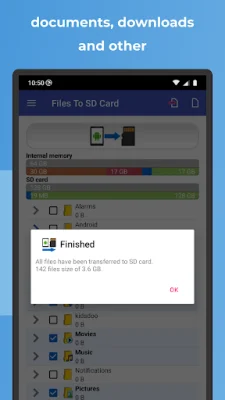
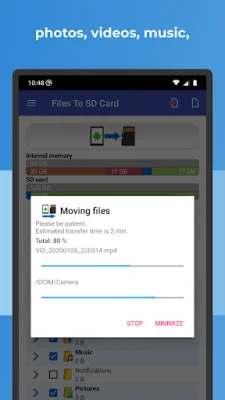
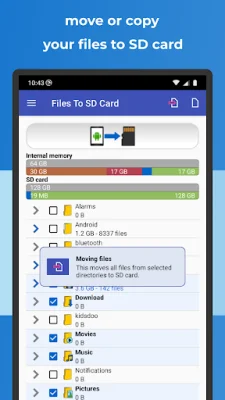
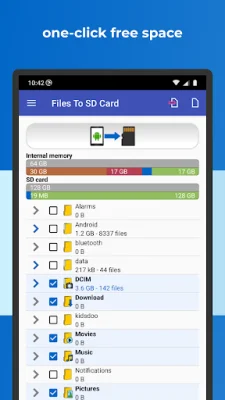
Are you tired of constantly running out of storage space on your Android device? Look no further than "Files to SD Card" - the ultimate solution for freeing up valuable space and optimizing your device's performance. With just one click, you can easily transfer files to your SD card or USB OTG drive, ensuring a seamless and efficient experience.
But that's not all - "Files to SD Card" also offers a secure backup option, allowing you to conveniently store your data directly on the micro SD card for easy access. Say goodbye to relying on cloud services or file sharing platforms - with this app, your files will always be accessible and safe.
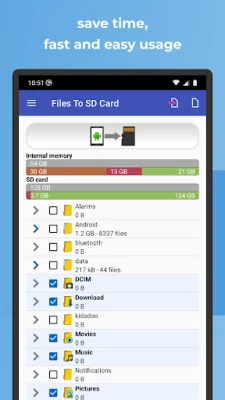
And for those who prefer a more personalized experience, "Files to SD Card" also offers a Dark Mode option to help preserve your device's battery life. With a fast and intuitive interface, this app is perfect for users of all levels, making it easier than ever to manage your files and optimize your device's storage space.
But the benefits don't stop there - "Files to SD Card" also offers flexible file selection, allowing you to choose specific files or entire directories with just a few taps. And with large file previews and detailed information, you can easily ensure that you're selecting the right files for your operations.
Never forget to regularly clean up your device's internal memory again with the "NOTIFICATION" feature, which allows you to choose your preferred frequency for new files on your phone. And for those with limited internal memory, this app is a game-changer, as it enables the direct storage of captured content on the SD card.
So why wait? Join the thousands of satisfied users and optimize your device's storage space with "Files to SD Card" today. Compatible with a wide range of devices, including Samsung Galaxy, Nokia, Motorola, HTC, and more, this app is a must-have for anyone looking to free up space and efficiently manage their files. Please note that this app does not transfer other apps to the SD card, as this feature must be supported by the app developer. Don't wait any longer - try "Files to SD Card" now and experience the difference for yourself.
Rate the App















Popular Apps









