

Find iPhone, Android, Xfi Loc
1.9.6.8 by funrealitysoftware (0 Reviews) August 12, 2024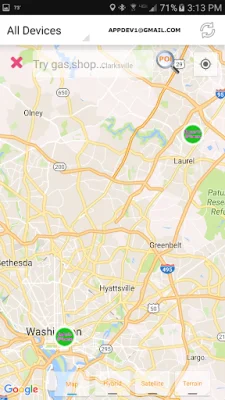
Latest Version
1.9.6.8
August 12, 2024
funrealitysoftware
Tools
Android
0
Free
com.funreality.software.nativefindmyiphone.lite
Report a Problem
More About Find iPhone, Android, Xfi Loc
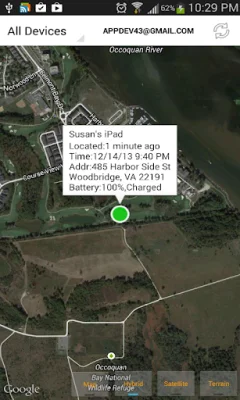
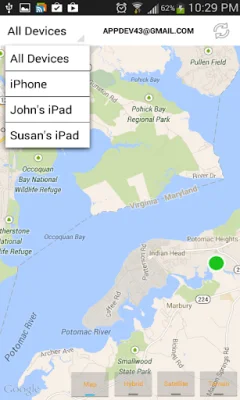
This app is a simple and elegant solution for locating all of your iOS and Android devices. It allows you to easily find your misplaced phone or tablet by displaying its location on Google Maps. To locate an iOS device, simply use the iCloud credentials that were used to activate the device. For Android devices, you will need to install the app, xfi Endpoint, and follow the instructions to register for a PIN. Once registered, you can use your email and PIN to log in and locate your device.
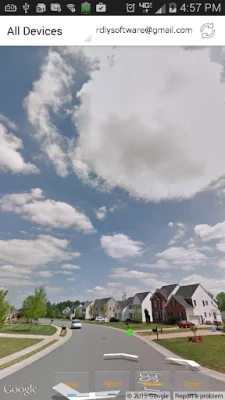
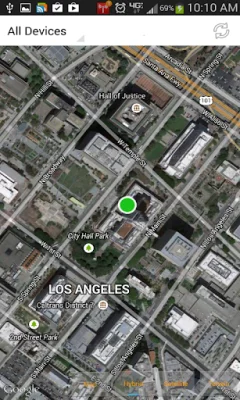
This app is specifically designed for Android devices and runs natively on the platform. It utilizes Google Maps to display the location of your device in real-time. Even if your device is on silent mode, the app can make it sound, making it easier to find. It also offers various map types, including Street View and Traffic, and provides directions and turn-by-turn navigation to your device's location.
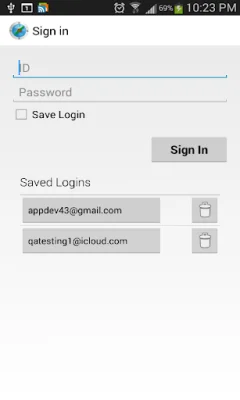
For added convenience, the app allows you to save your log-in credentials for quick access in the future. It also supports multiple accounts, making it easy to locate all of your devices in one place. The app also has a web version available for locating lost Android devices from any platform, such as iOS or Windows.
If you encounter any issues with locating your iOS device, make sure that iCloud is enabled on the target device. You can verify this by visiting the iCloud setup page on Apple's website. For Android devices, make sure that xfi Endpoint is installed, registered, and that location services are enabled. If you continue to have trouble, you can contact the app's support team for assistance.
It's important to note that this app is not affiliated with Apple in any way. The author is not related to the company and all trademarks, images, and copyrights belong to their respective owners. This app is a useful tool for anyone who wants to easily locate their iOS and Android devices in one place.
Rate the App















Popular Apps









