

G-CPU:Monitor CPU, RAM, Widget
2.82.7 by INSIDE Inc (0 Reviews) September 13, 2024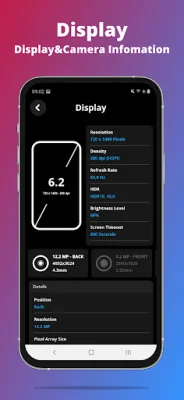
Latest Version
2.82.7
September 13, 2024
INSIDE Inc
Tools
Android
0
Free
com.insideinc.gcpu
Report a Problem
More About G-CPU:Monitor CPU, RAM, Widget
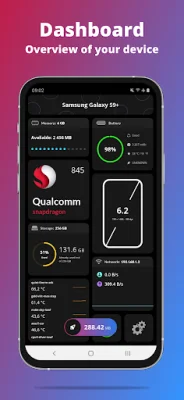
The "What's Inside" application provides users with a comprehensive overview of their device's hardware and software components. The dashboard displays information such as RAM, internal and external storage, battery life, CPU usage, available sensors, network details, and settings for the app. The device section includes details about the device name, model, manufacturer, board, hardware, brand, and build fingerprint. The system section displays information about the operating system, its type and state, version, build number, multitasking capabilities, initial and maximum supported OS versions, kernel information, boot time, and up time.
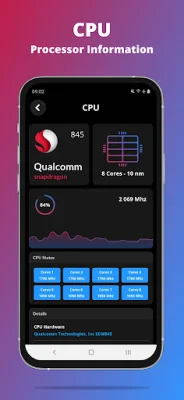
The CPU section provides details about the device's processor, including its load percentage, chipset name, launch date, design, common manufacturer, maximum clock rate, process, number of cores, instruction set, and GPU information. The battery section displays the health, level, status, power source, technology, temperature, voltage, and capacity of the device's battery. The network section provides information about the device's IP address, gateway, subnet mask, DNS, lease duration, interface, frequency, and link speed.
The display section includes details about the device's screen, such as its resolution, density, physical size, supported refresh rates, brightness level and mode, screen timeout, and orientation. The memory section displays information about the device's RAM, RAM type and frequency, ROM, internal and external storage. The sensors section provides details about the device's available sensors, including true heading, acceleration, altimeter, raw magnetic, magnetic, and rotation.
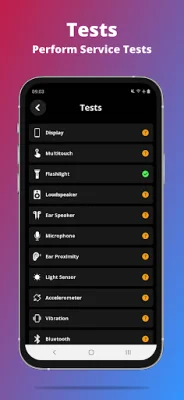
The "Device Tests" feature allows users to benchmark their device and optimize it with automatic tests. These tests cover various components such as the display, multi-touch, flashlight, loudspeaker, ear speaker, microphone, ear proximity, accelerometer, vibration, Wi-Fi, fingerprint, volume up and down buttons. The camera section displays all the features supported by the device's camera.
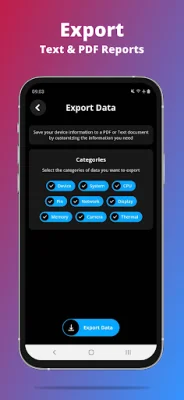
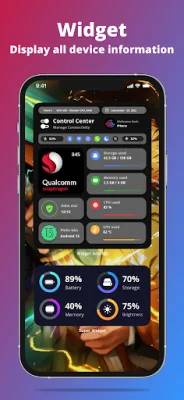
The app also allows users to export customizable reports in text or PDF format. It also supports widgets for the control center, memory, battery, network, and storage. Users can also contact the developers through Facebook for any support or inquiries. Overall, "What's Inside" is a useful and informative app for users to gain a better understanding of their device's capabilities and performance.
Rate the App















Popular Apps









