
Galaxy Wearable (Samsung Gear)
2.2.59.24061361 by Samsung Electronics Co., Ltd. (0 Reviews) July 30, 2024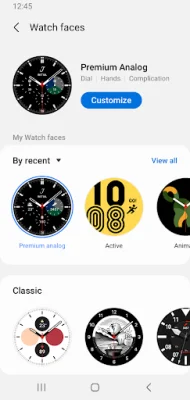
Latest Version
2.2.59.24061361
July 30, 2024
Samsung Electronics Co., Ltd.
Tools
Android
0
Free
com.samsung.android.app.watchmanager
Report a Problem
More About Galaxy Wearable (Samsung Gear)
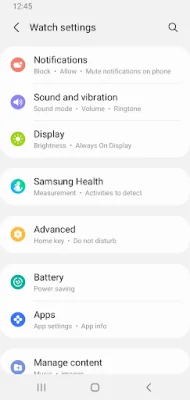
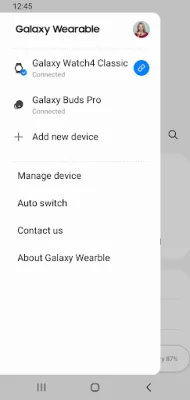
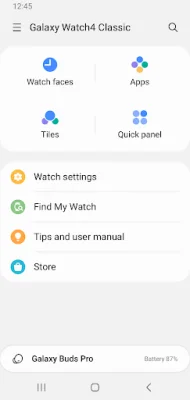
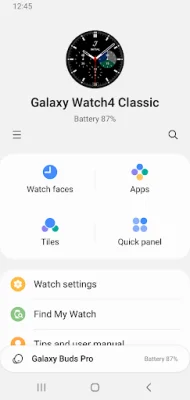
The Galaxy Wearable application is a mobile app that allows you to set up and manage various features on your wearable devices. These features include connecting and disconnecting your mobile device, updating software, adjusting clock settings, downloading and managing applications, and using the "Find my Watch" feature. This app is essential for fully utilizing the capabilities of your wearable device.
To use the Galaxy Wearable application, you must first install it on your mobile device. Once installed, you can pair your wearable devices with your mobile device via Bluetooth. This will enable you to access all of the features and settings provided by the app.
It is important to note that a stable connection between your wearable device and mobile device is necessary for the features to work properly. Without a stable connection, the app may not function correctly. Additionally, the Galaxy Wearable application does not support the Gear VR or Gear 360.
While the app is primarily designed for use with smartphones, it can also be used with tablets for Galaxy Buds models. However, the availability of features may vary depending on your region, operator, and device model.
Before using the app, it is recommended to allow the necessary permissions in your Android settings. This will ensure that you can use all of the functions of the app. To do this, go to Settings > Apps > Galaxy Wearable > Permissions.
The app requires certain access permissions to provide its services. These include location and nearby device permissions for searching and connecting to devices via Bluetooth. Optional permissions may also be required depending on the wearable device you are connecting, such as phone, address book, calendar, call logs, and SMS permissions. These permissions may be necessary for app updates, account syncing, and other features.
Rate the App















Popular Apps









