

Internet Speed Meter
by Eye Developers (0 Reviews) December 03, 2025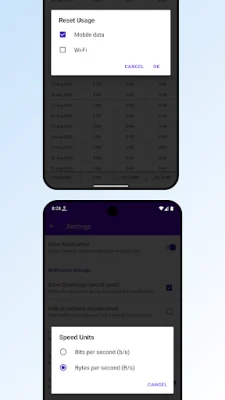
Latest Version
December 03, 2025
Eye Developers
Tools
Android
0
Free
com.eye.internetspeedmeter
Report a Problem
More About Internet Speed Meter
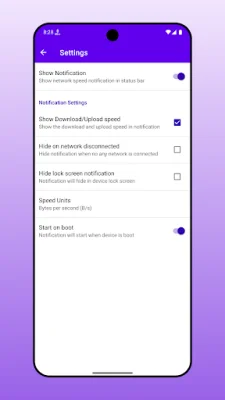
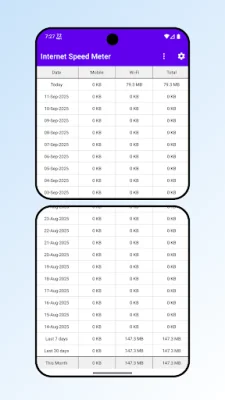
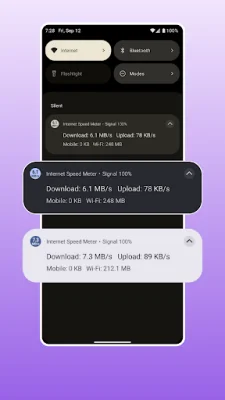
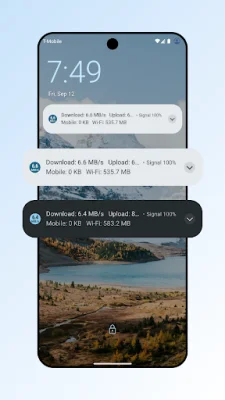
This app allows you to keep track of your internet connection speed and data usage in real-time. It is a lightweight and powerful tool that gives you instant access to your network performance directly from your Android notification bar. With this app, you can easily monitor your internet speed and data usage without having to open any other apps or programs. The key features of this app include real-time speed monitoring, live display of download and upload speeds in the notification bar, and updates every second for accurate measurements. It also supports both WiFi and mobile data connections, and you can choose between bytes (MB/s, KB/s) and bits (Mbps, Kbps) units. This allows you to customize the app to your specific needs and preferences. In addition to speed monitoring, this app also tracks your data usage on a daily and monthly basis. It provides separate monitoring for mobile data and WiFi usage, and you can view historical data with detailed breakdowns. You also have the option to reset your data usage statistics when needed. This feature is useful for avoiding overage charges and keeping track of your internet consumption. The app has a smart notification system that includes a persistent status bar notification with live speed updates and a WiFi signal strength indicator. You can also customize the notification visibility settings and choose to hide the notification on the lock screen. The app also has an auto-hide feature when the network is disconnected. This app offers powerful customization options, such as the ability to start automatically on device boot, configure notification appearance and behavior, and choose from multiple speed unit options. You can also adjust the display settings for download and upload speeds to suit your preferences. This app is perfect for monitoring streaming quality and gaming performance, tracking data usage, troubleshooting network connectivity issues, and keeping tabs on WiFi vs mobile data consumption. It is also user-friendly, with a clean and intuitive design based on Material Design principles. You can easily access data usage summaries, settings, and preferences with just one tap. This app is designed with privacy and performance in mind. It has a lightweight design that minimizes battery impact and does not collect or track any personal data. It also works entirely offline, so you can monitor your internet speed and data usage without an internet connection. The app also has an efficient background service with optimized performance. To use this app, simply install it and grant notification permissions. The app will automatically start monitoring your internet speed and displaying real-time information in your notification bar. You can access more detailed data usage statistics from the main app interface and customize settings to your liking. Take control of your internet monitoring by downloading this app now!
Rate the App












Popular Apps









