

IP Tools: WiFi Analyzer
8.99 by IP Tools Network Utilities (0 Reviews) July 31, 2024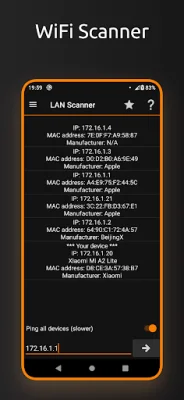
Latest Version
8.99
July 31, 2024
IP Tools Network Utilities
Tools
Android
0
Free
com.ddm.iptools
Report a Problem
More About IP Tools: WiFi Analyzer
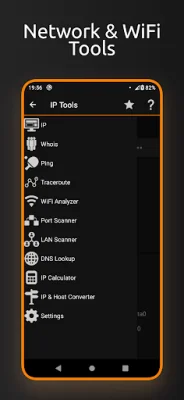
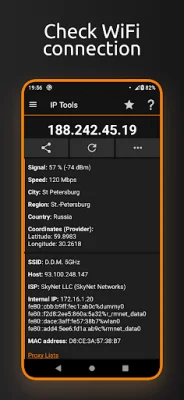
The IP Tools app is a comprehensive tool that combines the most popular utilities typically found on a desktop PC. It offers a variety of features to help users troubleshoot and optimize their network connections, even when they are far away from their home or corporate network. With the Wake on LAN feature, users can remotely turn on or reboot devices on their network. The app has a simple interface, making it easy for users to quickly access information about their connection, such as local and external addresses, signal strength, and wifi speed. It also provides basic information about the network, such as DNS, gateway, and ISP provider.
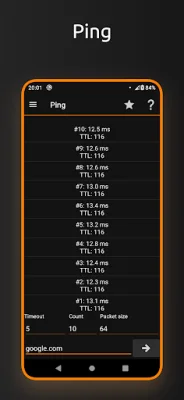
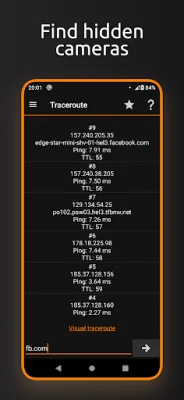
One of the main advantages of the IP Tools app is its accessibility. It provides access to popular wifi utilities that are commonly used by administrators and users on their computers. These include features such as ping, port scanning, DNS lookup, and traceroute. The app also has a WiFi analyzer, which allows users to get a clear picture of their network state and check wifi signal strength. With IP Tools, users can easily analyze and optimize their network connections in a fast, easy, and user-friendly way.
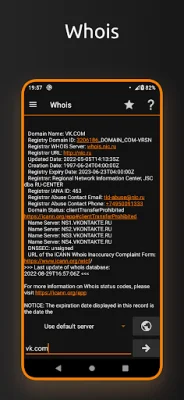
The app also offers a range of other useful features, such as a router setup page and admin tool, connection log, IP calculator, and IP and host converter. It even has a "my ip" feature that allows users to quickly find their current address. Additionally, the app provides netstat statistics and access to a variety of other basic information, such as geographical coordinates, whois data, and more.
It's important to note that the IP Tools app requires location permissions in order to detect the nearest wifi networks. This is a requirement of the Android OS API. Overall, the app is a valuable tool for anyone looking to optimize their network connection and troubleshoot any issues they may encounter. With its wide range of features and user-friendly interface, it's a must-have for anyone who wants to stay connected and informed about their network. So why wait? Download the IP Tools app today and start optimizing your wifi network!
Rate the App















Popular Apps









