

Keepass2Android Offline
1.09e-r7 by Philipp Crocoll (Croco Apps) (0 Reviews) October 12, 2024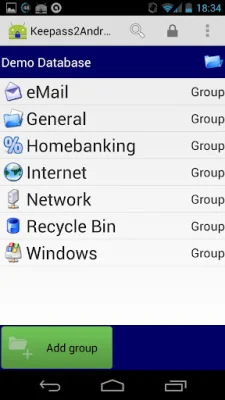
Latest Version
1.09e-r7
October 12, 2024
Philipp Crocoll (Croco Apps)
Tools
Android
0
Free
keepass2android.keepass2android_nonet
Report a Problem
More About Keepass2Android Offline
The Keepass2Android application is a user-friendly interface that is based on Keepassdroid, which was originally created by Brian Pellin. The interface has been ported from Java to Mono for Android. The backend of the application uses the original KeePass libraries to ensure compatibility with the file format. This allows users to easily access and manage their password files on their Android devices.
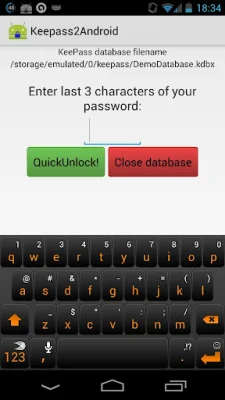
The main features of the app include the ability to read and write .kdbx files, which are used by KeePass 2.x. The app also integrates with almost every Android browser, making it easy to access passwords while browsing the internet. The QuickUnlock feature allows users to unlock their database with just a few characters, making it more convenient and secure. The app also has an integrated soft-keyboard, which protects users from clipboard-based password sniffers.
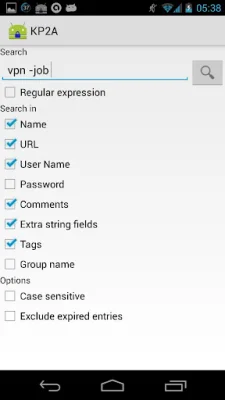
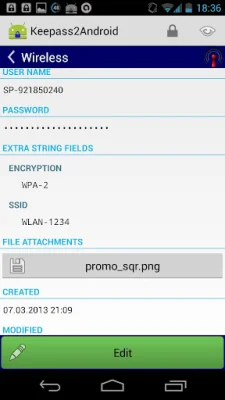
In addition to these features, the app also supports editing entries, including additional string fields, file attachments, and tags. It is important to note that if users want to open files directly from a webserver, they will need to install the non-offline version of Keepass2Android. The app also has a search function that includes all the search options from KeePass 2.x.
In order to function properly, the app requires certain privileges, such as access to the SD card and the ability to vibrate. Users can report bugs and make suggestions for improvements on the app's GitHub page.
The app also has browser integration, allowing users to easily lookup passwords for specific webpages. The QuickUnlock feature is a secure way to access the database with a strong password, as it only requires a few characters to unlock. The app also has its own keyboard, which protects against clipboard-based attacks.
The Keepass2Android keyboard is a unique feature that was created by a German research team. It protects against potential attacks by allowing users to "type" their credentials through the app's keyboard. This adds an extra layer of security to the app and ensures that users' passwords are safe from any potential threats.
Rate the App















Popular Apps









