

Mikrotik Tool Winbox Mobile
1.15 by Septudio LLC (0 Reviews) November 10, 2025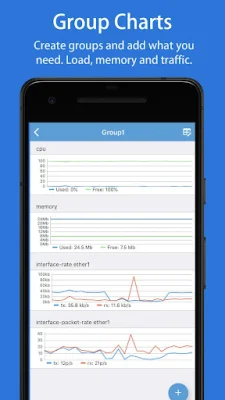
Latest Version
1.15
November 10, 2025
Septudio LLC
Tools
Android
0
Free
com.winboxmobile4
Report a Problem
More About Mikrotik Tool Winbox Mobile
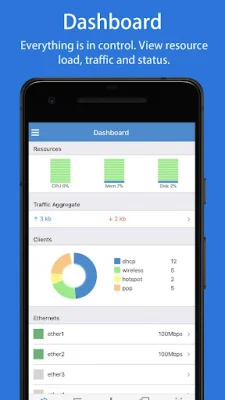
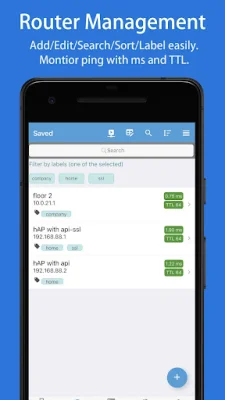
PushStats is an application that helps minimize the risk of hacking attempts by enabling port knocking with just one tap. It also allows users to group routers by labels and easily search for routers by name, IP/URL, or labels. The app features a dashboard that displays resources usage, CPU, memory, and disk information, as well as traffic throughput, client count, and a percentage chart. Users can also view the Ethernet status and control details of their router.
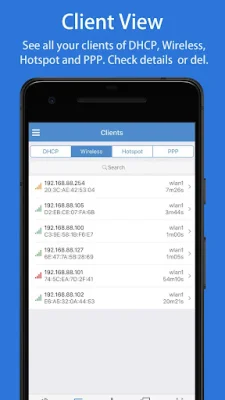
The Clients view in PushStats shows the main clients of the router, including DHCP lease, wireless registration, active hotspot, and PPP connections. Users can check the details and control these clients. The Interfaces view displays the real-time transmission and reception rates of interfaces.
One of the unique features of PushStats is the ability to create custom chart groups and add specific data points, such as CPU usage, memory usage, and traffic rates for specific interfaces. The app also supports various router settings, including CAPsMAN, interfaces, wireless, bridge, switch, mesh, PPP, IP, routing, system, queues, and radius.
PushStats also offers live statistics and charts for WLAN clients, simple queues, and firewall rules, NAT, mange, and raw data. Users can easily update multiple items at once by selecting them and enabling, disabling, or deleting them. The app also allows users to view router logs and search for specific information.
In addition to monitoring and managing router stats, PushStats also offers tools such as ping, traceroute, IP scan, bandwidth test, and profile. Users can also run scripts and perform actions like shutting down or rebooting their router. The app also allows for file backup and restore, as well as checking for updates.
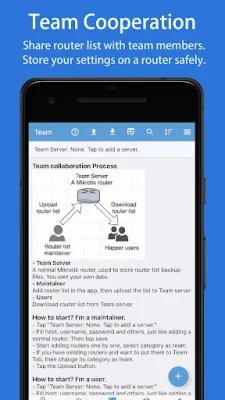
PushStats is designed to be user-friendly, with features like pull-to-refresh, search highlighting, list item sorting, and drag-to-reorder. It also supports team collaboration, allowing users to efficiently share and maintain router lists within a team.
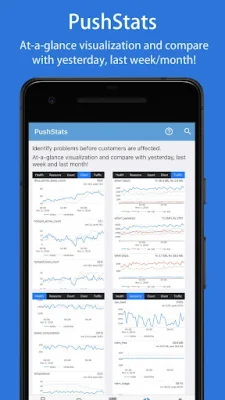
The app also offers a paid version with additional features, such as LAN scan, saved router lists, and more detailed stats and alerts. These include health information like voltage, current, power consumption, temperature, and CPU temperature, as well as resource usage, system counts, client counts, traffic rates, and events that generate alerts for potential issues. Overall, PushStats is a comprehensive and easy-to-use tool for monitoring and managing router stats and identifying potential problems before they affect customers.
Rate the App















Popular Apps









