
Keep Screen On
1.28.0 by David Weis (0 Reviews) April 18, 2026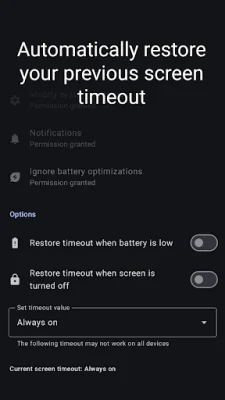
Latest Version
1.28.0
April 18, 2026
David Weis
Tools
Android
0
Free
eu.davidweis.keepscreenon
Report a Problem
More About Keep Screen On
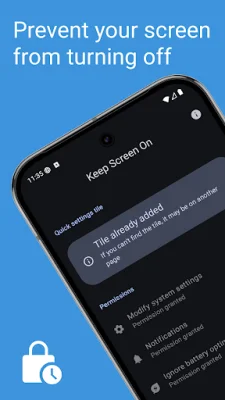
This application, called KeepScreenOn, is designed to help users keep their device's screen on for a temporary period of time. This can be useful when viewing a website or document, or if your device does not have the option to set the screen timeout to never in the settings. With KeepScreenOn, you can disable the screen timeout or set a specific value for how long you want the screen to stay on.
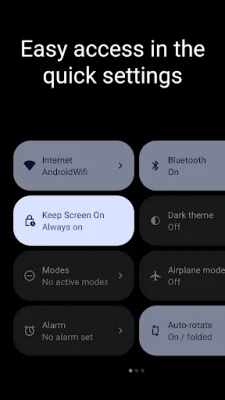
One of the convenient features of KeepScreenOn is the quick settings tile, which allows you to easily access and adjust the screen timeout settings without having to navigate through multiple menus. This makes it a convenient and efficient tool for those who frequently need to keep their screen on for longer periods of time.
The app also has the ability to automatically restore the screen timeout when the battery is low or when the screen is turned off. This helps to conserve battery life and ensures that the screen timeout is not accidentally left on for an extended period of time.
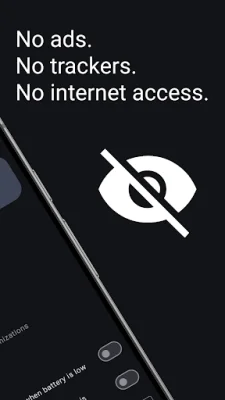
KeepScreenOn also boasts a sleek and modern design with its Material You interface, making it visually appealing and easy to use. Additionally, the app does not contain any creepy ads or trackers, ensuring a safe and private user experience. It also does not require internet permission, giving users peace of mind about their data privacy.
For those interested in the technical side of things, KeepScreenOn is an open-source application, meaning that its source code is publicly available for anyone to view and contribute to. This allows for transparency and community involvement in the development of the app. The source code can be found on GitHub at https://github.com/elastic-rock/KeepScreenOn. So if you're in need of an app to help you keep your screen on for a temporary period of time, KeepScreenOn is a reliable and trustworthy option to consider.
Rate the App














Popular Apps









