

DrivePro Body
by Transcend Information, Inc. (0 Reviews) April 18, 2026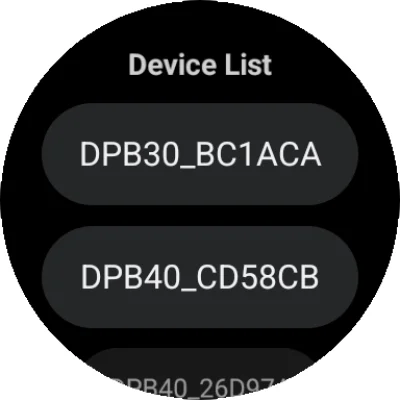
Latest Version
April 18, 2026
Transcend Information, Inc.
Tools
Android
0
Free
com.transcend.bcr
Report a Problem
More About DrivePro Body
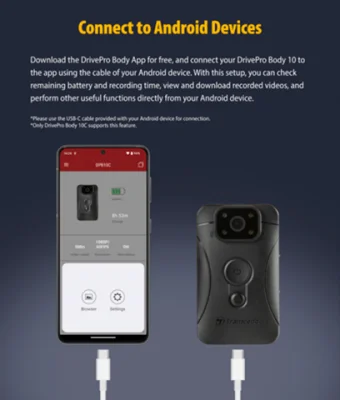
The DrivePro Body application allows users to easily browse and edit files between their DrivePro Body camera's storage and their Android device's memory. This can be done through a USB-C connection or via WiFi. Users can also search and sort through files on both the camera's storage and their device's memory. Additionally, the app allows for easy sharing of photos, videos, and other files directly from the DrivePro Body's storage.
One of the key features of the DrivePro Body app is the ability to instantly share photos, videos, and files wirelessly. This means that users can quickly and easily share their recorded footage with others without the need for any cables or additional equipment. The app also allows for playback of recorded files, making it easy to review footage on the go.
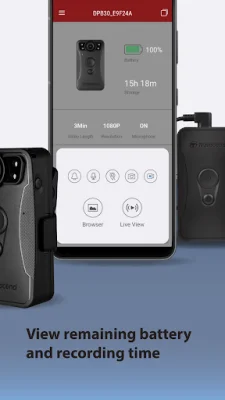
The app's home screen displays the remaining battery and recording time of the DrivePro Body camera, providing users with important information at a glance. The Live View feature allows for real-time viewing of footage recorded by the camera on a mobile device. This can be useful for monitoring footage as it is being recorded.
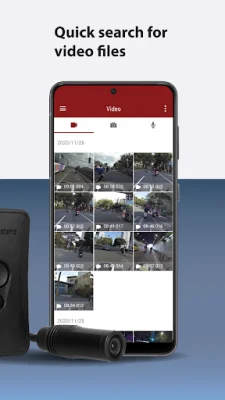
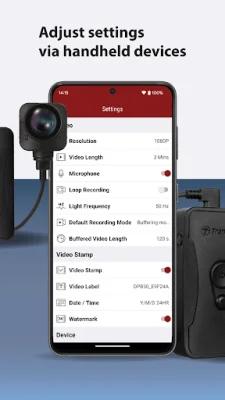
The Browser feature organizes videos by the date they were recorded, making it easy to find specific footage. Users can also search for specific video files and play them directly on their mobile device. The app also allows for adjustments to device and video settings, such as video resolution, length, stamp, volume, and date/time, all from the convenience of a mobile device.
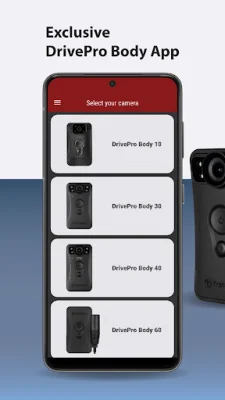
For those who prefer to use a Wear OS smartwatch, the DrivePro Body app also offers the ability to connect to the camera device. This allows for quick setup and access to device information directly from the smartwatch. The app is compatible with a variety of DrivePro Body models, including the 10C, 10D, 30, 40, 60, 70, 20, and 52. For Wear OS, it is compatible with the 30, 40, and 70 models.
Rate the App












Popular Apps









