

My Device Info
by GiggleGenius (0 Reviews) April 18, 2026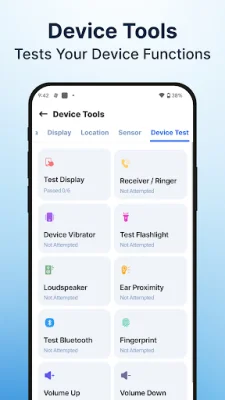
Latest Version
April 18, 2026
GiggleGenius
Tools
Android
0
Free
com.cpu.deviceinfo.system
Report a Problem
More About My Device Info
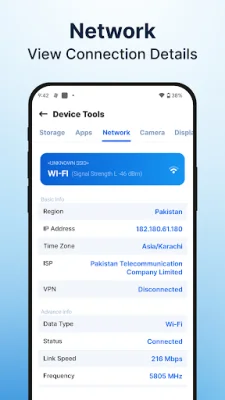
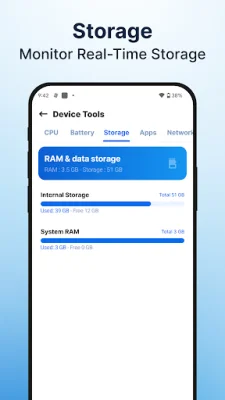
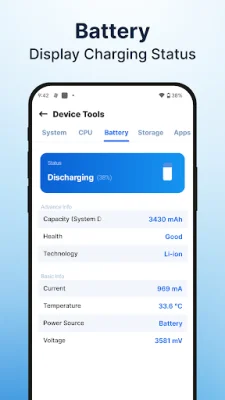
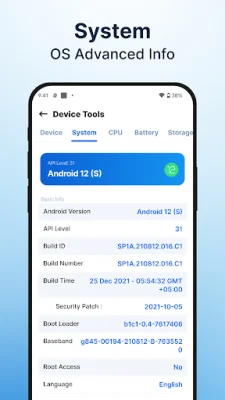
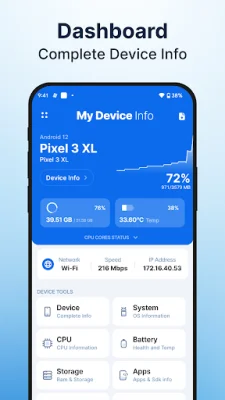
The Device Information App is a useful tool that provides real-time information about your device's hardware and software. It displays detailed information about your device's sensors, battery, RAM, storage, network connections, camera, display, operating system, and CPU. This app also allows you to manage and monitor your installed apps efficiently. The Sensor Info feature gives you insights into the status and capabilities of your device's sensors, such as the accelerometer, gyroscope, and proximity sensor. You can also view the type, manufacturer, and resolution of each sensor. With the Device Info Apps feature, you can easily view and manage all your installed apps, including user apps and system apps. This helps you keep track of your apps' memory usage and efficiently manage them. The Battery Info feature provides real-time information about your battery's health, temperature, and level. You can also check the power source and capacity of your battery and monitor its usage and performance. The RAM and Storage Info feature allows you to check your device's storage information, including total and available space. You can also see how much RAM is being used by different apps, helping you manage your device's resources efficiently. The Network Info feature gives you detailed information about your device's network connections, including WiFi and mobile data. This helps you stay informed about your network performance and connectivity. You can also view detailed camera specifications of your device's front and back camera with the Camera Info feature. This includes information on megapixels, resolution, and focal length, giving you insights into your camera's capabilities and performance. The Device Display Info feature provides comprehensive insights into your device's display information, such as resolution, screen dimensions, and aspect ratio. You can also view essential system and security information about your device's operating system with the Operating System Info feature. The CPU Device Info feature displays detailed information about your device's CPU, including the system-on-chip type, processor cores, and GPU details. And with the Device Test feature, you can test various functionalities of your device, such as the vibrator, flashlight, loudspeaker, and ear proximity sensor. Overall, the Device Information App is a valuable tool that allows you to gain insights into your device's hardware and software with ease. Download it now to keep track of all the important details about your device and manage it effortlessly.
Rate the App















Popular Apps









