Miracast: TV Screen Mirroring
2.4 by Vulcan Labs (0 Reviews) August 30, 2024




Latest Version
2.4
August 30, 2024
Vulcan Labs
Tools
Android
0
Free
co.vulcanlabs.miracastandroid
Report a Problem
More About Miracast: TV Screen Mirroring
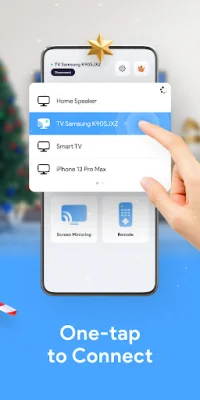
This application allows you to easily and securely mirror your phone or tablet screen onto your TV using a screen mirroring app and Miracast. With just one tap, you can stream movies, play games, and access your favorite apps and channels on the big screen for an enhanced viewing experience. This app supports a variety of TV devices, including Samsung, Sony, LG, Roku, and Chromecast, making it convenient to control all your TVs with just one smartphone. One of the key features of this app is its ability to support multiple devices with Miracast, allowing you to quickly and easily connect your Android phone or tablet to your smart TV. It also supports a wide range of media files, such as PDFs, movies, and photos, making it a versatile tool for all your screen mirroring needs. In addition to screen mirroring, this app also offers an intuitive remote control feature, allowing you to control your TV without a physical remote. You can also use this app to cast live videos from your web browser onto your TV, making it perfect for streaming your favorite shows and movies. To use this app, your smart TV must support Wireless Display or Display Dongles and be connected to the same WiFi network as your phone. Simply search for your device, select and pair it, and you're ready to start screen mirroring. It's important to note that this app cannot turn on your TV, so make sure it is already connected to WiFi before attempting to use the app. Before using this app, make sure to turn off any VPNs on your device and ensure that your TV is connected to the same WiFi network as your phone. For more information, please refer to the Terms of Use and Privacy Policy provided by the app developer. Overall, if you're looking for a free and user-friendly way to screen mirror to any TV device with Miracast, this app is definitely worth trying out.
Rate the App











Popular Apps









