

Smart Air Mouse - Control PC
by Yasin Güzel (0 Reviews) April 29, 2026



Latest Version
April 29, 2026
Yasin Güzel
Tools
Android
0
Free
com.yasinguzel.airmouse
Report a Problem
More About Smart Air Mouse - Control PC
Easily manage your computer from the comfort of your couch, bed, or anywhere within your Wi-Fi network with Smart Air Mouse. This innovative application allows you to have full control of your PC at your fingertips, whether you're watching movies, giving a presentation, or simply browsing the web. With its user-friendly interface and convenient features, Smart Air Mouse makes it effortless to navigate your computer from a distance.
One of the key features of Smart Air Mouse is its wireless mouse function. This allows you to have smooth touchpad control over your PC, eliminating the need for a physical mouse. You can easily move the cursor, click, and scroll with just a few swipes on your mobile device's screen.
In addition to the wireless mouse, Smart Air Mouse also offers a remote keyboard feature. This allows you to type on your computer using your mobile device's keyboard, making it easier to type longer texts or emails without having to sit in front of your PC.
With media controls, you can manage the volume, play, pause, and skip tracks on your PC effortlessly. This is especially useful when you're using your computer as a media center and want to control it from a distance.
Smart Air Mouse also has an app launcher feature, which allows you to view and launch installed PC applications remotely. This eliminates the need to go back and forth between your computer and mobile device, making it more convenient to access your favorite applications.
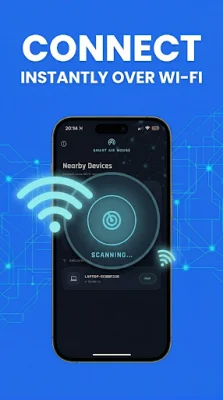
To get started with Smart Air Mouse, simply download and run the Smart Air Mouse Server on your Windows PC. Make sure that both your PC and mobile device are connected to the same Wi-Fi network. You can then connect quickly via Auto-Discovery or by scanning the QR code or entering the IP address. Experience the ultimate convenience of controlling your PC remotely with Smart Air Mouse today!
Rate the App















Popular Apps









