
Floating Clock On Screen
1.67 by Expressway Apps (0 Reviews) April 29, 2026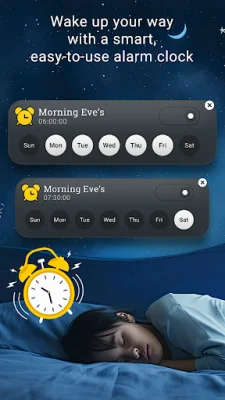

Latest Version
1.67
April 29, 2026
Expressway Apps
Tools
Android
0
Free
com.expressway.floatingclock.ts
Report a Problem
More About Floating Clock On Screen
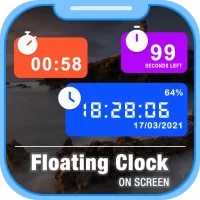
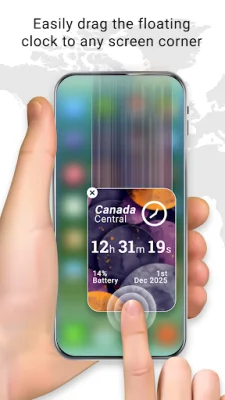
The Floating Clock Overlay is a versatile application that offers a variety of time-tracking tools in one convenient package. With its always-on-screen clock display, you can easily keep track of the time without having to switch between apps. The clock is always visible on top of other apps, making it easy to access at any time. And with a simple enable/disable toggle, you can easily control when the clock is displayed.
The Digital Floating Clock is a real-time digital clock overlay that not only displays the current date and time, but also allows you to customize the display to your preferences. You can choose to view seconds, battery percentage, and select between 12-hour or 24-hour format. You can even manually select your time zone and customize the time and date formats.
The Clock Customization feature allows you to personalize your clock even further. You can adjust the text size, padding, and rounded corners to your liking. You also have the option to change the font and background colors, as well as choose from multiple font styles. And for a unique touch, you can set a floating background using a camera image, gallery image, or one of the built-in clock themes.
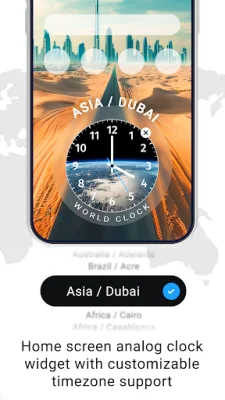
If you prefer a more traditional clock display, the Analog Floating Clock is the perfect option. With its classic analog design, you can easily move the floating clock overlay and control the color of the hour and minute hands.
The Background Options feature allows you to choose from a variety of backgrounds for your clock. You can select from solid background colors, pre-designed clock themes, or even use your own camera or gallery images.
For those who need to keep track of multiple time zones, the World Floating Clock is the ideal solution. You can add multiple country clocks, each displaying the selected time zone. This feature is perfect for travelers, business professionals, and remote workers.
The Customization feature allows you to personalize your world clocks by choosing the font and hand colors, as well as selecting custom background images and themes.
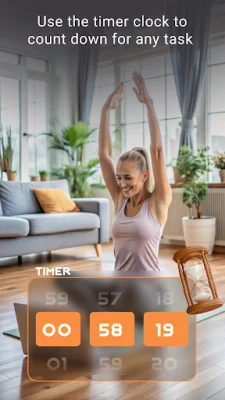
The Floating Timer is a useful tool for setting countdowns without having to close other apps. You can easily set the timer duration and choose to display or hide hours and milliseconds.
The Style Controls feature allows you to customize the appearance of your timer with options for text size, padding, rounded corners, font and background colors, and multiple font styles.
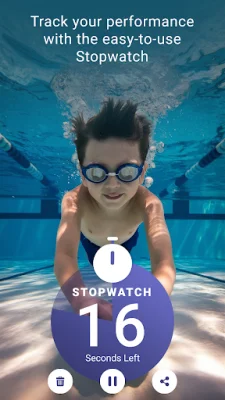
The Floating Stopwatch is a precise stopwatch overlay that stays visible while you use other apps. It's perfect for workouts, studying, and staying productive. You can choose to display or hide hours and milliseconds, as well as customize the fonts and colors.
The Floating Alarm feature allows you to set alarms that will display as floating notifications. You can easily manage your alarms by setting a name, time and date, and selecting repeat day options. You can also choose a custom ringtone for each alarm.
The Alarm History feature allows you to view and edit your saved alarms at any time. And just like with the other features, you can customize the display of your alarms with options for text size, padding, rounded corners, font and background colors, and multiple font styles.
And for those concerned about privacy, the application only requires the SYSTEM_ALERT_WINDOW permission to display the floating clock, timer, and alarm overlays on top of other apps. No personal data is collected, stored, or shared.
With the Floating Clock Overlay, you can easily keep track of time and stay organized throughout your day. Its customizable features and convenient tools make it a must-have for multitaskers, fast workers, and anyone looking for a smooth and efficient time-tracking experience.
Rate the App














Popular Apps









