

WiFi Analyzer: Signal Scan
by Adam Lasko (0 Reviews) April 29, 2026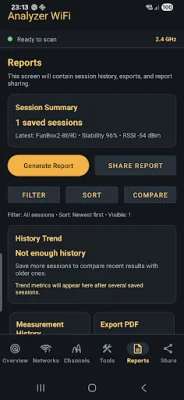
Latest Version
April 29, 2026
Adam Lasko
Tools
Android
0
Free
pl.epomoce.analizatorwifi
Report a Problem
More About WiFi Analyzer: Signal Scan
If you're experiencing slow, unstable, or weak WiFi, it's not always your internet provider's fault. There are many factors that can contribute to poor WiFi performance, such as signal strength, channel congestion, interference, and router placement. This app, WiFi Analyzer: Signal Scan, helps you identify and solve these issues by providing real-time signal data and useful tools for improving your network.
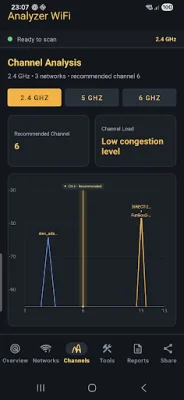
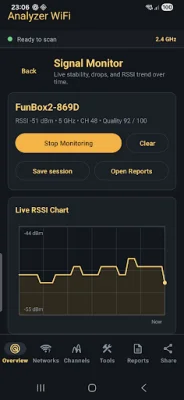
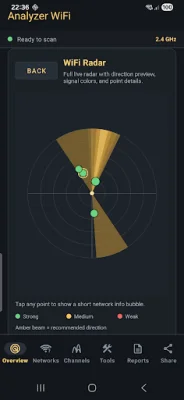
With WiFi Analyzer, you can scan nearby WiFi networks, check signal strength in real-time, and use a signal meter to track changes. It also allows you to analyze different frequency bands (2.4 GHz, 5 GHz, and 6 GHz), compare WiFi channels, and find a cleaner channel for better performance. You can also monitor signal stability and drops over time, as well as use WiFi radar to explore nearby networks.
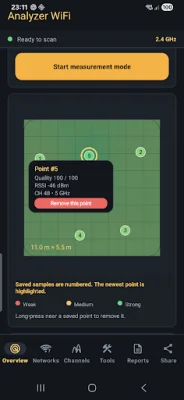
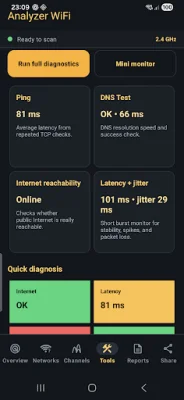
One of the most useful features of WiFi Analyzer is the ability to create a WiFi coverage map based on live measurements. This allows you to identify weak signal areas and dead zones, and find the best router placement for stronger coverage. The app also offers network tools and diagnostics to help you troubleshoot and understand your connection quality.
WiFi Analyzer: Signal Scan is a valuable tool for anyone looking to improve their home WiFi speed and stability. It's also useful for gamers, streamers, remote workers, and small office users who rely on a strong and consistent WiFi connection. However, it's important to note that the available WiFi data may vary depending on your device and Android version, and some actions may be limited by Android system rules.
In summary, WiFi Analyzer: Signal Scan is a comprehensive app that combines various WiFi testing and optimization features in one convenient tool. It's perfect for anyone who wants to improve their WiFi signal, find the best channel, troubleshoot issues, and understand their network better. With this app, you can easily make your WiFi faster, more stable, and more reliable.
Rate the App















Popular Apps









