
Mobile Screen Stream For Web
1.0 by IJAGER (0 Reviews) August 29, 2024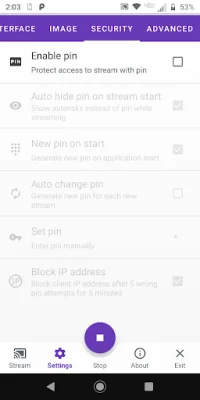
Latest Version
1.0
August 29, 2024
IJAGER
Tools
Android
0
Free
info.ijager.mobilestream
Report a Problem
More About Mobile Screen Stream For Web
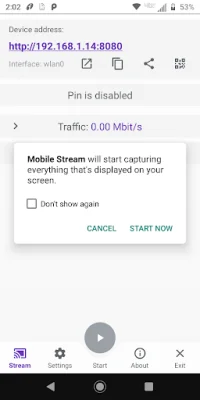
Mobile Stream is an application that allows users to stream their Android device screen in two different modes: Global mode and Local mode. These modes have unique features, limitations, and customization options to cater to the user's needs.
The Global mode uses WebRTC technology, which provides end-to-end encrypted communication for secure streaming. Users can also protect their stream with a password and stream both video and audio. To connect, users need a unique stream ID and password, and an internet connection is required for streaming. However, the more clients that connect, the more internet bandwidth is needed for optimal performance.
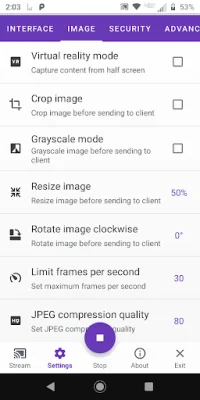
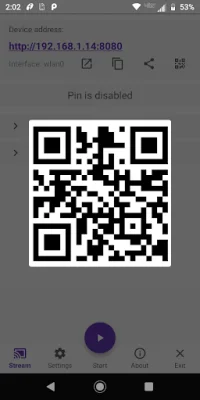
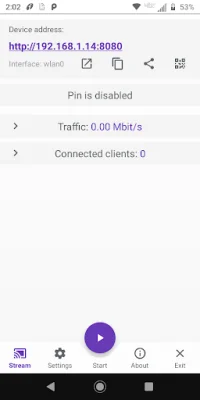
On the other hand, the Local mode uses the MJPEG standard and utilizes a PIN for security, but there is no encryption. This mode only streams video as a series of independent images and does not support audio. It can function without an internet connection within the user's local network and has an embedded HTTP server. Users can connect via a web browser using the app's provided IP address. This mode is highly customizable, but like the Global mode, more clients mean more internet bandwidth is needed for optimal performance.
It is important to note that while there is no direct limit on the number of clients in either mode, each client consumes CPU resources and bandwidth for data transmission. Therefore, users should be mindful of this when streaming. Additionally, there are some important warnings to keep in mind when using Mobile Stream. These include being cautious of high traffic on mobile networks to avoid excessive data usage, expecting a delay in streaming under certain conditions, and understanding that the app is not designed for streaming HD video. There may also be limitations with incoming connections from cell operators and some WiFi networks may block connections between devices for security reasons.
In conclusion, Mobile Stream is a versatile application that offers two different modes for streaming Android device screens. With its unique features, limitations, and customization options, users can choose the mode that best suits their needs. However, it is important to be aware of the potential limitations and warnings when using the app to ensure a smooth streaming experience.
Rate the App













Popular Apps









