

Money Manager Expense Tracker
by Money Manager Expense Tracker (0 Reviews) April 23, 2026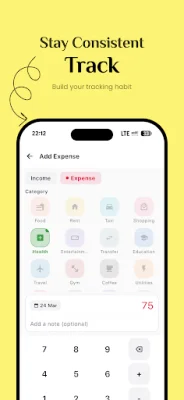
Latest Version
April 23, 2026
Money Manager Expense Tracker
Finance
Android
0
Free
com.frmobile.moneymanager
Report a Problem
More About Money Manager Expense Tracker
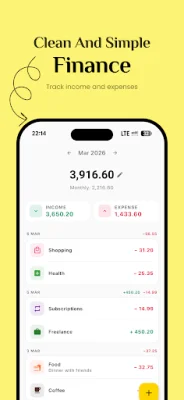
Money Manager is a user-friendly and efficient application designed to help individuals manage their finances with ease. It simplifies the process of tracking expenses and income, allowing users to confidently make budget decisions and gain a better understanding of their spending habits.
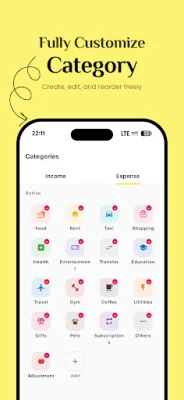
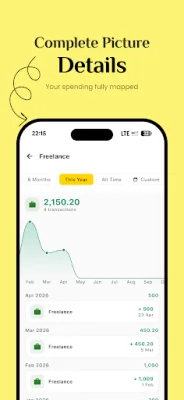
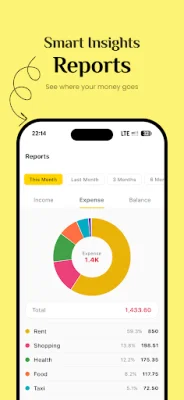
With Money Manager, users can easily log every expense and income, including the amount, category, date, and note. The app also provides detailed spending reports with pie charts, allowing users to visualize their spending by category. Users can switch between monthly and total balance and drill into specific categories to see transaction details and trends. Additionally, the app allows for customization of categories, giving users the flexibility to organize their finances according to their needs.
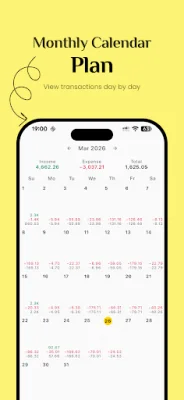
The calendar view feature in Money Manager provides a convenient way to view daily expenses and income on a monthly grid. Each day displays a total at a glance, and users can tap on any day to view specific transactions. The app also offers the option to customize the start day of the week.
One of the standout features of Money Manager is its Google Drive backup, which automatically syncs data and keeps up to 10 backup files. The app also supports device backup, allowing users to export and restore their complete financial history with just one tap. Additionally, Money Manager offers smart daily reminders based on users' actual spending data, providing personalized notifications and a monthly spending report to help users stay on top of their finances.
Money Manager offers a range of key features, including a daily expense and income tracker, custom categories with icons, budget reports with pie charts, and a light and dark theme. The app is available in multiple languages and does not require an account, ensuring privacy and security for users. Its clean, fast, and lightweight design makes it a top choice for those in need of a daily expense tracker, budget planner, or personal finance app. Start managing your money with ease today by using Money Manager.
Rate the App















Popular Apps









