
Moto Widget
by Motorola Mobility LLC. (0 Reviews) July 30, 2024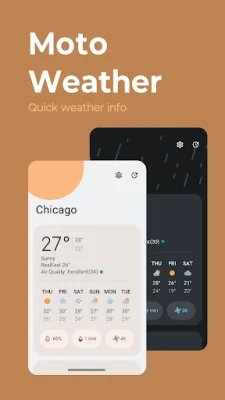
Latest Version
July 30, 2024
Motorola Mobility LLC.
Tools
Android
0
Free
com.motorola.timeweatherwidget
Report a Problem
More About Moto Widget
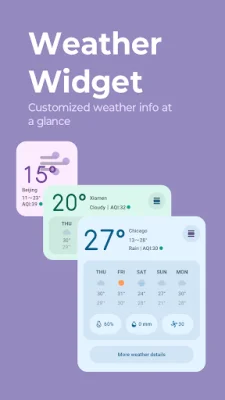
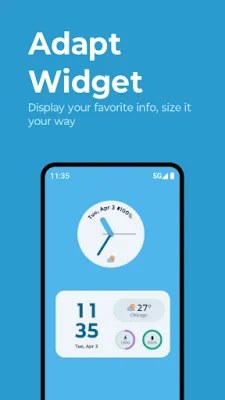
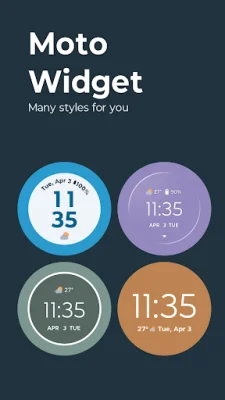
Moto has recently introduced two new widgets, Adapt and Weather, to their collection of classic widgets. These widgets are designed to provide users with quick access to important information and can be customized to fit their preferences. Along with the new additions, users can also choose from classic widgets such as Beyond, Classic battery ring, and Clean rectangle. These widgets can be displayed in Moto's iconic circle style or in a simple text format.
One of the key features of these widgets is the ability to access detailed weather information by tapping on the weather info displayed on each widget. This will take users to a separate weather page where they can view a comprehensive weather forecast. This is especially useful for those who need to stay updated on the weather conditions in their area.
To add a widget to your Home screen, simply follow these steps: long press on a blank space on the Home screen, tap on Widgets, scroll down to Moto Widget, and drag and drop the desired widget onto your Home screen. This allows for easy customization and placement of widgets for quick access.
With Moto's diverse selection of widgets, users can choose the ones that best suit their needs and preferences. Whether it's for checking the weather, monitoring battery life, or simply adding a touch of style to their Home screen, these widgets offer convenience and functionality. So why not give them a try today and see how they can enhance your overall user experience?
In conclusion, Moto's widgets are a great addition to any Home screen, providing users with quick and easy access to important information. With the option to choose from classic or new widgets, as well as the ability to customize their display, these widgets offer both style and functionality. So don't wait any longer, try out Moto's widgets today and see how they can make your daily tasks a little bit easier.
Rate the App















Popular Apps









