
Mouse Link - Remote PC Mouse
4.0.1 by .DotKacter (0 Reviews) August 10, 2024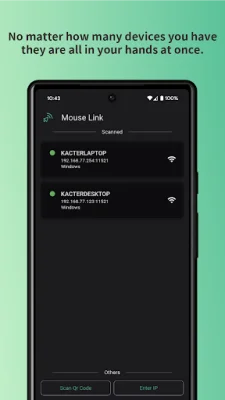
Latest Version
4.0.1
August 10, 2024
.DotKacter
Tools
Android
0
Free
dot.kacterlin.mouselink
Report a Problem
More About Mouse Link - Remote PC Mouse
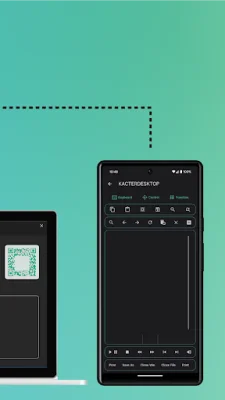
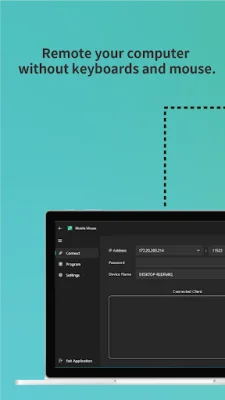
If you have multiple computers that you need to control, but don't want to invest in multiple keyboards and mice, or if you find it inconvenient to control your mouse while sitting on the sofa, then Mouse Link is the perfect solution for you. With this application, you can easily control your computer using just a smart device such as a mobile phone or tablet. As long as there is a Wi-Fi signal, you don't have to worry about signal reception, allowing you to relax on the sofa while still having full control over your computer.
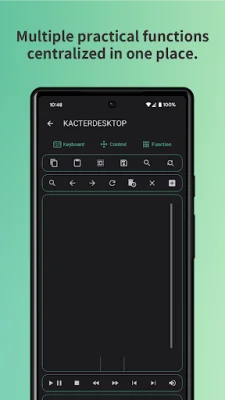
Mouse Link offers a variety of special features to enhance your experience. The operating interface is simple, intuitive, and visually appealing. You can control multiple devices with just one mobile phone, making it easy to switch between devices without the hassle of multiple keyboards and mice. The Wi-Fi wireless transmission eliminates distance issues, giving you the freedom to control your computer from anywhere in the room.
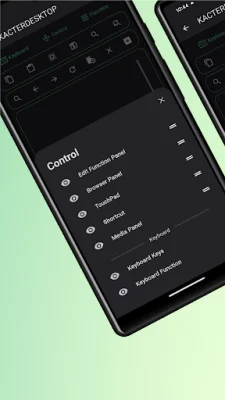
The touchpad feature allows you to control your mouse using multi-finger gestures, making it easy to navigate and operate with both left and right hands. You can also use the side mouse buttons to easily return to the previous page. Additionally, you can turn on presentation mode to transform your phone into a presentation pen, making it perfect for business meetings or presentations.
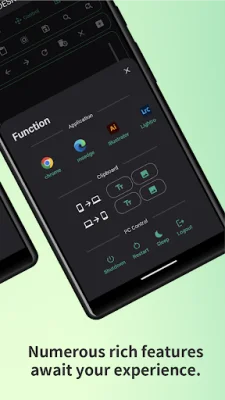
The keyboard feature operates just like a physical keyboard, allowing you to type and customize your own shortcut keys. Mouse Link also offers multimedia control, allowing you to play, skip, and adjust the volume of songs with just one click. You can even control your computer's browser, open customized applications, and edit files with ease.
To get started with Mouse Link, simply download and install the PC application from the website. Make sure to allow the application to pass through your computer's firewall permissions. Then, place your computer and mobile device on the same network and start enjoying the convenience of Mouse Link. With its user-friendly interface and various features, Mouse Link is the perfect solution for controlling your computer with just a smart device. So why wait? Download Mouse Link now and experience the convenience for yourself!
Rate the App















Popular Apps









