
MQTT Client– IoT & Automation
1.6.1 by Star Studio (0 Reviews) April 13, 2026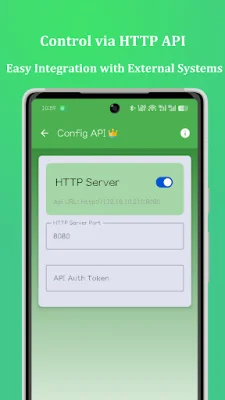

Latest Version
1.6.1
April 13, 2026
Star Studio
Tools
Android
0
Free
com.shan.livemq
Report a Problem
More About MQTT Client– IoT & Automation
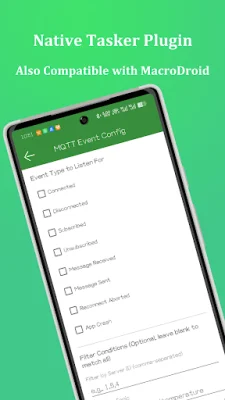
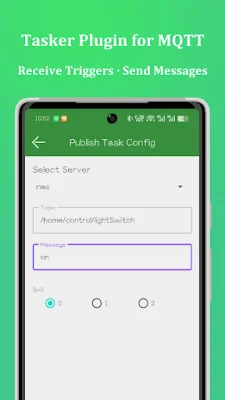
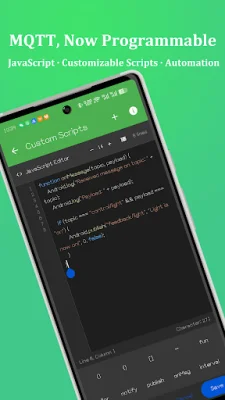
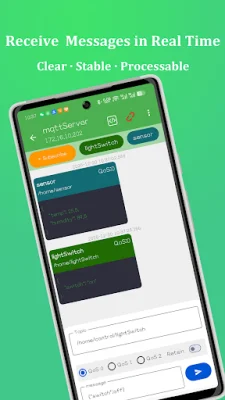
MQTT Client is an advanced messaging application that offers more than just basic publishing and subscribing features. It allows users to have full control over how MQTT messages are processed and used through its various functionalities such as JavaScript scripting, automation plugin integration, HTTP API control, and secure connections. This makes it a powerful tool for managing and utilizing MQTT messages. One of the key features of MQTT Client is its ability to connect to standard MQTT brokers and subscribe to multiple topics in real time. Users can also publish messages with customizable quality of service and retention options. The app also provides a clear and organized message list with timestamps for easy reference. The built-in JavaScript engine in MQTT Client allows users to process MQTT messages programmatically. This opens up a world of possibilities as users can access message topics and payloads, parse and transform incoming data, apply conditions and filters, and even send MQTT messages dynamically from scripts. This feature is perfect for implementing custom automation logic. MQTT Client also offers integration with popular automation platforms such as Tasker and MacroDroid. Users can receive MQTT messages as Tasker events and send messages directly from Tasker actions. This allows for powerful automation workflows on Android devices without the need for complex scripting. The app also provides an HTTP API for external systems to interact with it. This allows users to trigger actions and send MQTT messages through the API, making it easy to integrate with servers, scripts, and other automation platforms. MQTT Client also offers message notifications as Android system notifications, even when the app is running in the background. This is useful for receiving alerts, monitoring status updates, and filtering notifications by topic or logic. In terms of security and reliability, MQTT Client supports SSL and TLS connections and is compatible with self-signed certificates. This makes it suitable for private brokers and local networks, with stable background operation and low resource usage. Some common use cases for MQTT Client include smart home automation, IoT device monitoring and control, server and NAS status notifications, integration with Home Assistant or Node-RED, advanced Android automation workflows, and custom MQTT message processing. With its highly flexible scripting capabilities, native Tasker plugin, MacroDroid automation support, HTTP API, secure connections, and lightweight design, MQTT Client stands out as a top choice for those looking for a powerful and programmable MQTT client. Download it now and turn MQTT messages into actions.
Rate the App















Popular Apps









