
NFC Tools - NFC Tag Reader
1.2 by Ngendev Technolabs (0 Reviews) August 23, 2024
Latest Version
1.2
August 23, 2024
Ngendev Technolabs
Tools
Android
0
Free
nfctools.nfctagreader.nfctagwriter.nfc
Report a Problem
More About NFC Tools - NFC Tag Reader
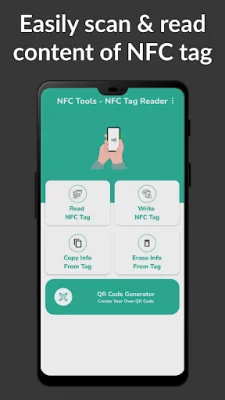
The NFC Tools app allows you to configure tasks on your NFC tag using a reader and writer. This app is available for download and once your tasks are set up correctly, you can simply glide your phone over the NFC tag to execute the designated actions. The app is equipped with various features that make it easy to use and secure for data protection. It is also compatible with most famous tag technologies such as MIFARE and NTAG.
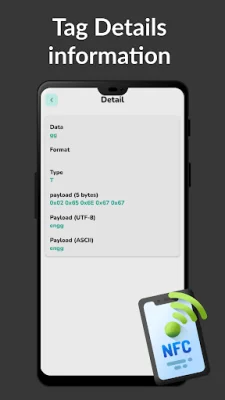
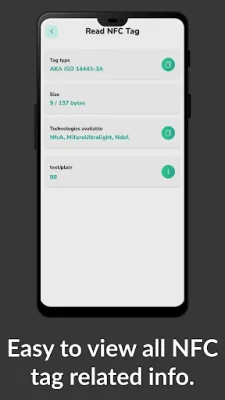
One of the key features of NFC Tools is the ability to create new content using the included NFC data. This allows you to customize your NFC tag with the desired information. The app also has a Tap to Launch feature which allows you to execute the content of NFC tags with a simple tap. This makes it convenient and efficient to use. Additionally, you can view the existing contents of a tag and easily manage them using the app's simple visual interface.
NFC Tools also has advanced security features to protect your data. This makes it a reliable tool for storing sensitive information such as business and professional data, educational and academic information, and social media profile links. It can even be used as a sample inventory manager tool.
To use NFC Tools, you will need a NFC compatible phone and to enable the NFC function on your device. Once these requirements are met, you can easily write an NFC tag by selecting the write tag option in the menu and adding records to your tag. After you finish, simply click on the write button and place your NFC tag close to your smartphone to complete the process.
If you encounter any issues with reading a tag, you can contact the app's support team for assistance. They are available via email and are dedicated to helping you fix any problems you may encounter. With NFC Tools, you can easily and efficiently manage your NFC tags and customize them with the desired tasks and information. So why wait? Download NFC Tools now and start exploring the endless possibilities of NFC technology!
Rate the App














Popular Apps









